
Turning off training alone does not stop Gemini from leaking information. Even with training off, conversations can stay on your account for up to 72 hours, and any conversation sent for human review can stay for up to 3 years. We sent the same question to Claude and ChatGPT on November 4, 2026, and turned the results into a 12-item checklist you can run before you type anything into Gemini.
- A 12-item yes/no checklist to run before you put work documents into Gemini (with marks showing what survives even after you turn training off)
- 5 ways information can stay stored or leak out even after you flip the training switch off
- What Claude and ChatGPT said when we sent them the same question four times (tested on November 4, 2026)
- How many of the 9 sources Claude cited were official Google sources
- How handling differs across the free plan, Google AI Plus, Google AI Pro, and Google Workspace
- What to do if you already typed something you shouldn’t have, plus 2 prompts you can paste right away
Is it safe to paste meeting notes or a quote into Gemini? That’s the first thing people wonder when they start using Gemini at work. Most articles stop at “turn off training and you’re fine.” But some things stay even with training off, and some leaks don’t stop just because training is off.
At around 7 a.m. on November 4, 2026, AInformation sent Claude and ChatGPT the same two questions about Gemini and information leaks. We checked the content and sources of every answer one by one and compared them against Google’s own official explanations. From that, we built a 12-item checklist to run before you type anything in.
Gemini and data leaks: check these 12 items before you type anything in
Here’s the bottom line. Protecting against Gemini data leaks isn’t a matter of flipping 1 setting and being done. It only works once you combine “what not to type in” with “which settings to check”—these 2 things together. The table below lists 12 items to review before you use Gemini, whether at a company or on your own. The first 6 are information you should never enter; the other 6 are settings to check.
Items marked in the “survives even after turning off” column don’t disappear or don’t get stopped just by flipping the training switch (Gemini Apps Activity) off. This is the main point of this article.
Six types of information you should never enter
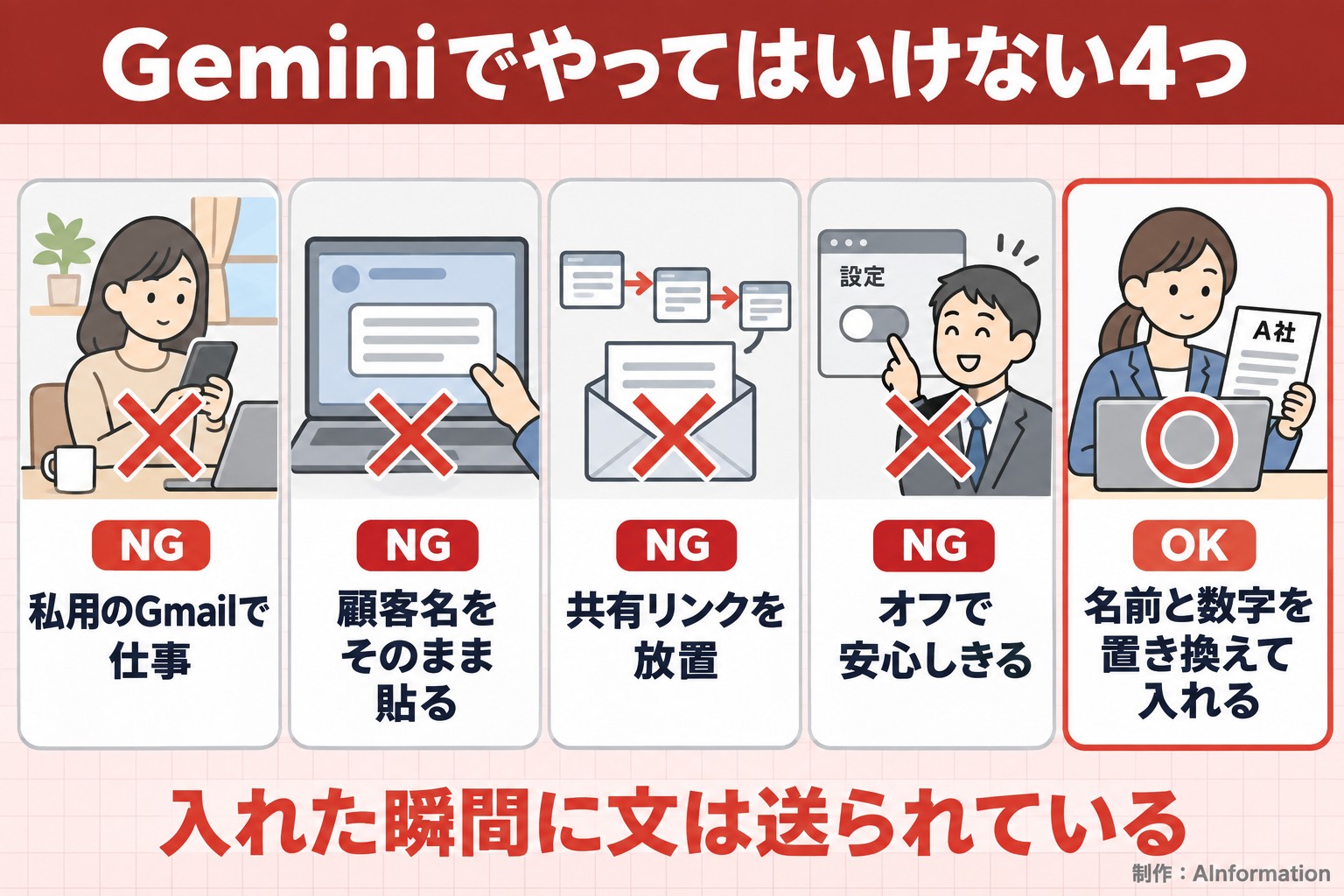
Customer names and contact details, employee personal information, numbers not yet made public (sales, quotes, financial results), the full text of contracts, passwords and API keys, and anything about health or money. Don’t enter any of these even with training turned off. The moment you type it, the text reaches Google’s servers. Google’s official help pages state that even after you turn activity off, conversations can remain on your account for up to 72 hours.
Six settings to check
Are you logged into your work account or your personal one? Is activity on or off? Have you created any share links? Is Gmail or Google Drive integration turned on? Does your saved information (memory) contain anything work-related? If you’re on a company account, what has the admin decided? That’s all six. Each one takes only seconds to check once you open the settings screen. The order to check them in is covered in our article on how to stop Gemini from using your data for training.
12 items to check before entering anything into Gemini
| Item | OK to enter / what to do | Survives after turning off |
|---|---|---|
| Customer names and contact details | ✕ Don’t enter (replace with “Company A” etc.) | ● Stays for 72 hours |
| Employee personal information | ✕ Don’t enter | ● Stays for 72 hours |
| Numbers not yet made public | ✕ Don’t enter (round to “about ¥X”) | ● Stays for 72 hours |
| Contract text, passwords, keys | ✕ Don’t enter | ● Up to 3 years if sent for human review |
| Health or money matters | △ Use a temporary chat, and leave out names | ● Stays for 72 hours |
| Which account you’re logged into | ○ Use your work account for work | — |
| Activity | ○ Turn it off for personal use | ● Anything reviewed before you turned it off stays |
| Share links | ○ Delete them from the list once created | ● Stays regardless of training settings |
| Gmail/Drive integration | ○ Turn it off if you don’t need it | ● Sharing settings on the original document still apply |
| Saved information (memory) | ○ Delete anything work-related | ● Carries across conversations |
The remaining 2 of the 12 items (company accounts)
| Item | What to do | Survives after turning off |
|---|---|---|
| Admin settings | ○ Ask about internal policy first | ● Admins can retain conversations |
| Sharing permissions on the original document | ○ Restrict to documents open to everyone | ● This is outside of Gemini itself |
Two prompts you can paste as they are
If you really need Gemini to read a work document, replace names and numbers first. The first prompt below is for handing over the replaced text. The second asks Gemini to draft internal rules. Neither one requires you to enter anything confidential.
In the following text, company names have been replaced with Company A and Company B, people’s names with Staff Member 1 and Staff Member 2, and amounts with approximately ¥[amount]. Keep these placeholders as they are, and do not guess or fill in real names or amounts. Summarize this text into a 3-line report to send to a manager.
Draft internal rules for a 30-person company on how employees should use the generative AI tool Gemini at work. Organize the draft into 4 sections: information that must never be entered, which accounts may be used, how to handle share links, and who to contact if confidential information is entered by mistake. Keep each section to 3 lines or fewer. Do not include the company’s name.
The key part of the first prompt is the line “do not guess or fill in.” Without it, the AI may fill in a plausible-looking company name based on the flow of the text. For the second prompt, just adjust the number of employees to match your own company.
Five ways information can stay stored or leak even after you turn off training
The training switch stops your conversations from being used to improve the AI. It does not stop information from being sent to Google, and it does not stop you from accidentally exposing information yourself. Cross-checking the two sets of answers with Google’s official help pages turned up 5 ways information can survive even with training turned off.

1. Conversations can stay for up to 72 hours even after you turn off training
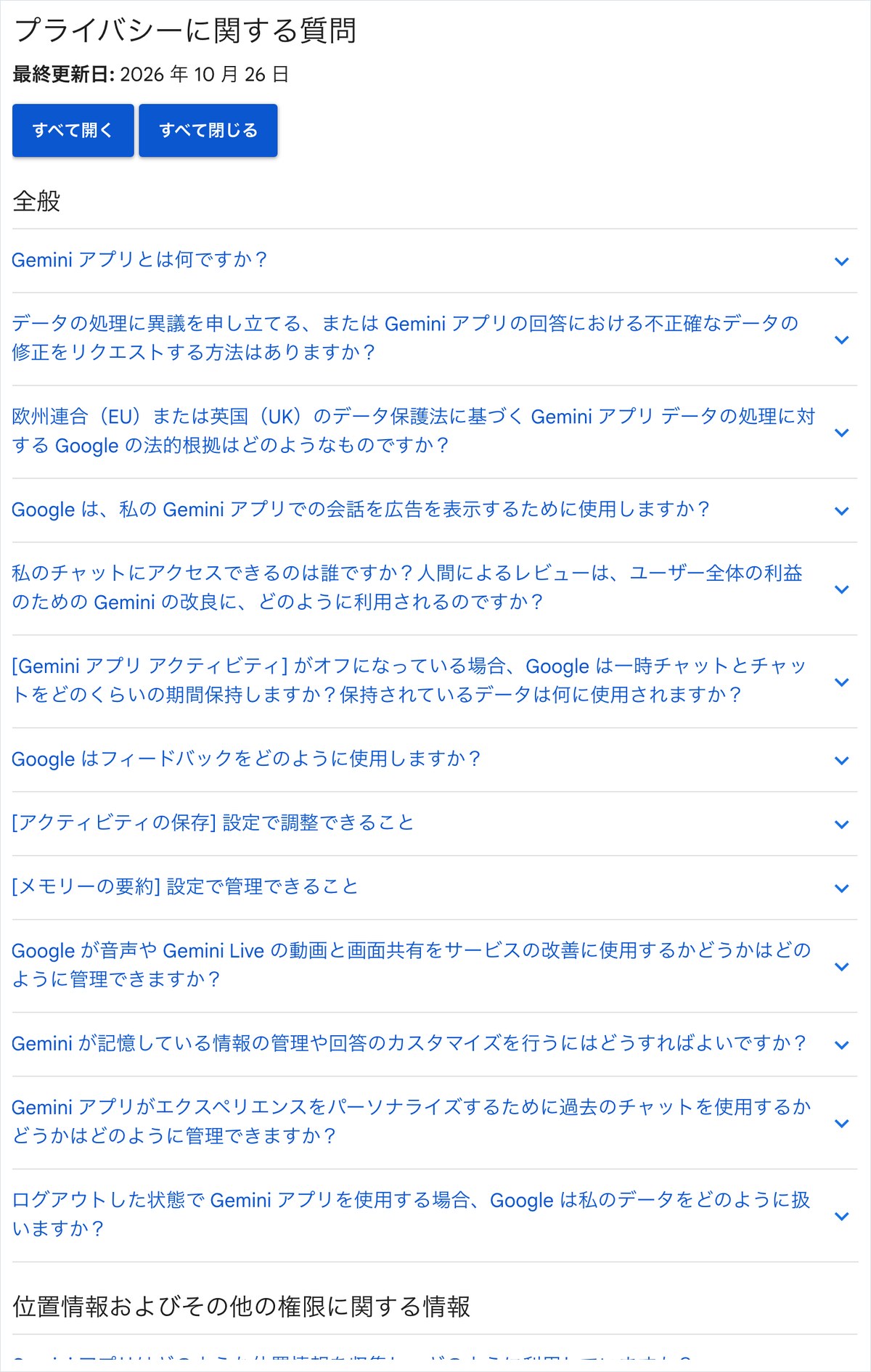
Google’s official help page, the Gemini Apps Privacy Hub, states that even after you turn activity off, conversations are kept on your account for up to 72 hours. This is to keep the service running and to process any feedback you submit. This 72-hour window does not show up in your activity list. Even if nothing appears on screen, the data is held behind the scenes for a while.
2. Conversations sent for human review can stay for up to 3 years even after deletion
Google states that it may have humans review some conversations to improve quality. Conversations sent for human review are stored separately from your account and are not deleted even if you delete your activity. They can be stored for up to 3 years. Turning activity off later does not undo this for anything you already entered before turning it off. Only Claude’s first answer mentioned this point; its second answer did not bring it up.
3. Share links are a way you can expose information yourself
Gemini conversations can be turned into a link and shown to other people. Anyone who has the link can open that conversation. A link you meant to paste into an internal chat can get forwarded and end up with someone outside the company. This path has nothing to do with the learning toggle. You can delete a share link you created from the list of public links in settings.
4. Gmail and Google Drive integration widens the “visible range”
When you turn on integration, Gemini reads the contents of Gmail and Google Drive to answer you. In its second answer, Claude wrote, “If the sharing permissions on the source data are too loose, that becomes a leak path.” This is a fair point. A document in Drive set to share with “anyone with the link” is already exposed, even without using Gemini. Before you turn off the AI, review the sharing settings on the source documents first.
5. Saved information (memory) carries over between conversations
Recent AI tools remember preferences and work details you mentioned in an earlier conversation and use them in later answers. This is convenient, but a customer’s name you mentioned once can show up in the answer to an unrelated question later. This carryover happened in our actual test too. We cover it in detail in the next section.
We sent Claude and ChatGPT the same questions four times, and only two answers came back
Between 7:07 a.m. and 7:15 a.m. on November 4, 2026, AInformation sent the same two questions to both Claude and ChatGPT from a browser. The first was: “If I turn off Activity, is my data never used for training or for human review? Is there any difference between the free plan and Google AI Pro?” The second was: “How does the handling differ between a personal Google account and a company Google Workspace account? Give me the first five settings to change to prevent information leaks.”
Results of sending the same two questions to Claude and ChatGPT
| AI and question | Time taken | Character count | Number of sources | Official Google sources |
|---|---|---|---|---|
| Claude – Is it never used if I turn it off? | 42.8 seconds | 3,243 characters | 4 | 0 |
| Claude – Personal vs. company differences and 5 settings | 51.5 seconds | 1,370 characters | 5 | 0 |
| ChatGPT – Is it never used if I turn it off? | Browser closed mid-response | 0 characters | — | — |
| ChatGPT – Personal vs. company differences and 5 settings | Cut off after 122 seconds | 0 characters | — | — |
Claude answered both questions
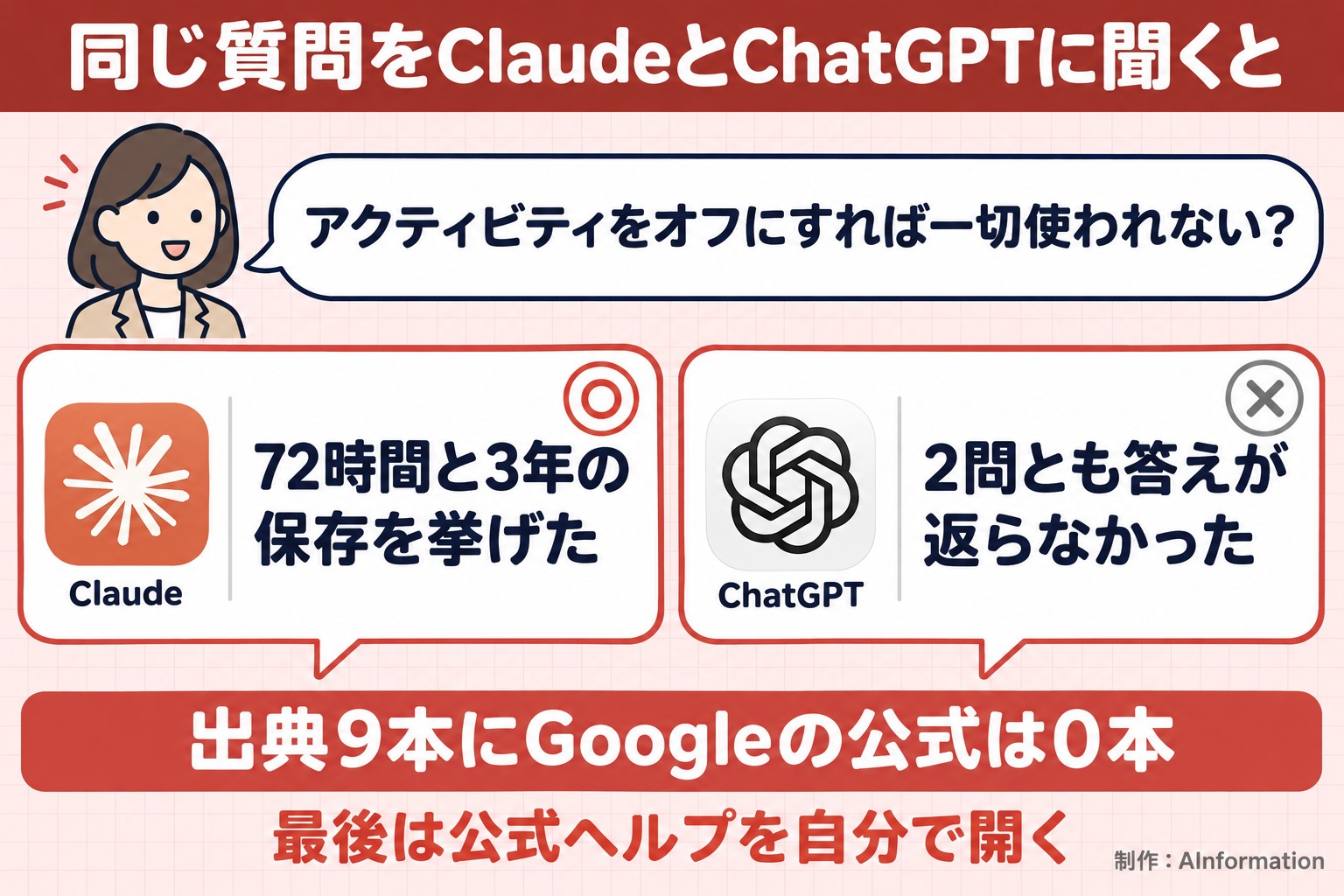
Claude returned 3,243 characters in 42.8 seconds for the first question and 1,370 characters in 51.5 seconds for the second. In both cases it searched the web before answering. The first answer opened with “I can’t say it’s never used at all,” then cited two points: the 72-hour retention period, and the fact that conversations sent for human review can be kept for up to 3 years. It stated flatly that there is “no difference” between the free plan and Google AI Pro. This matches Google’s own explanation.
ChatGPT gave no answer to either of the 2 questions
For the first question, ChatGPT’s browser window closed partway through and no answer was received. For the second, nothing came back even after waiting 122 seconds. It’s possible the login session had expired. For that reason, we did not evaluate the content of ChatGPT’s answers this time. Only Claude could be compared, and we want to state that clearly.
Counting the sources in the answers, zero were official Google pages
Claude listed sources at the end of both answers: 4 for the first and 5 for the second, 9 in total. Checking each one, not a single official Google Help page or official Google Workspace page appeared. The 9 sources were foreign news sites, personal or company sites that summarize how data is handled, and a column from a Japanese IT company. One of the 5 sources in the second answer was an IT company column that ranks second when you search for that term.
Even when the content is accurate, readers have no way to verify it if the sources aren’t official. If you plan to use an AI’s answer for an internal company policy, always open Google’s official Help page yourself as a final check.
Claude got four things wrong or left out
AInformation checked Claude’s two answers line by line against Google’s official Help pages and what the editorial team confirmed on November 2. There were no major flat-out errors. However, there were three omissions and one answer that didn’t make sense.
Omission 1: no mention of share links
Neither of the two answers mentioned share links. This is a major omission for an answer about information leaks, since this path has nothing to do with the learning toggle. Even among the top 10 articles, not one mentions share links in its title.
Omission 2: no mention of Temporary Chat
For a conversation you don’t want kept even once, there’s an option called Temporary Chat. When we asked Claude on November 2, it explained that Temporary Chat “isn’t saved to history and isn’t used for training.” It didn’t come up in either of today’s two answers. The same AI can give different safeguards depending on how you phrase the question.
Omission 3: only 2 of the 5 settings listed were actually Gemini settings
The first five items Claude listed were: use a company account, turn off Activity, decide how Gemini is used through the admin console, enforce two-factor authentication, and clean up Drive and Gmail sharing. Only the second and third are actually Gemini-specific settings. Two-factor authentication is an important safeguard against account takeover, but it’s a separate issue from how information you enter into Gemini is handled. Memory, share links, and integration settings were not included.
Something off: a name that wasn’t in the question showed up in the answer
At the end of the first answer, Claude wrote, “(based on [Name]’s work),” with an actual person’s name filled in. That name never appeared in the question. It appears Claude pulled this from memory of an earlier conversation left in the editorial team’s test account. We’ve withheld the name in this article.
This happened with Claude, but the same thing can happen with Gemini. If you mentioned a customer’s name in an earlier conversation, that name might surface in an answer shown to someone else later. Anyone using AI during a screen-shared meeting should check what’s stored in memory beforehand.
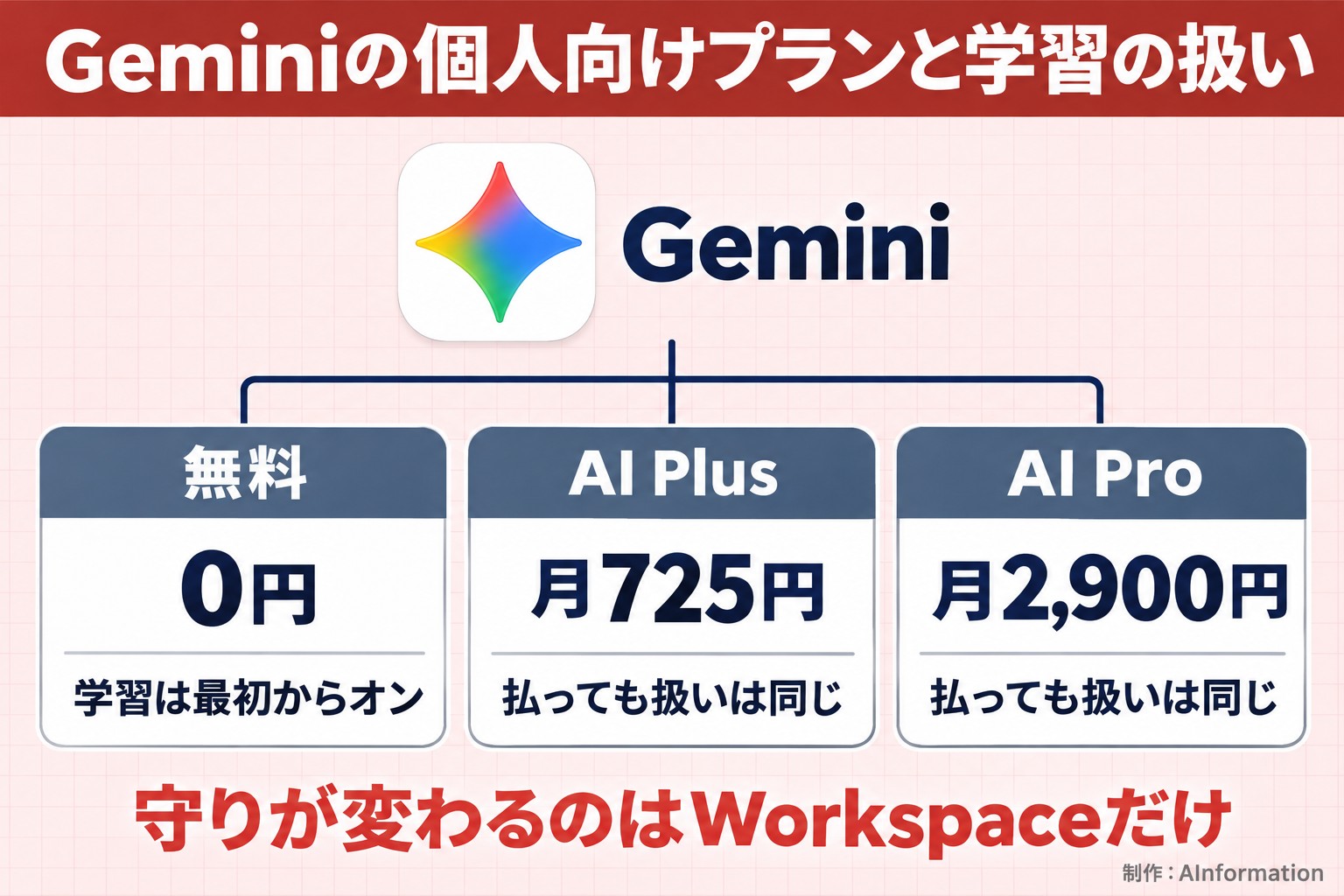
Training defaults don’t change between the free plan and Google AI Plus at ¥725 a month
Many people probably assume that paying for a plan makes things safer. The answer is: “not for personal plans.” When AInformation’s AI Tools Directory reviewed 508 pricing pages on November 2, 2026, the cheapest paid personal plan for Gemini was Google AI Plus, priced at ¥725 a month. That comes to ¥8,700 if kept for a year. The tier above it, Google AI Pro, costs ¥2,900 a month, or ¥34,800 a year.
Activity is on by default on every plan
In its first answer, Claude wrote, “Google AI Pro is a paid plan, but it’s still classified as consumer Gemini,” and said that paying for it doesn’t make the data handling any stricter. Google’s privacy hub also covers the Gemini app on a personal account under a single explanation. Whether it’s free, ¥725, or ¥2,900, Activity is on by default for any account held by someone 18 or older. The chance that your content goes to human review is the same across plans, too.
What you get for paying is more capacity and features, not stronger protection
Looking at Google’s AI plan pricing page, what differs between plans is the amount of storage and which models and limits you get. There’s nothing about how your conversations are handled. Even if you pay ¥2,900 a month, you still have to flip the switch yourself if you want to stop training. If there’s information you don’t want going to human review, the only option on any plan is not to enter it in the first place.
Business Google Workspace plans starting at ¥800 a month are not used for training
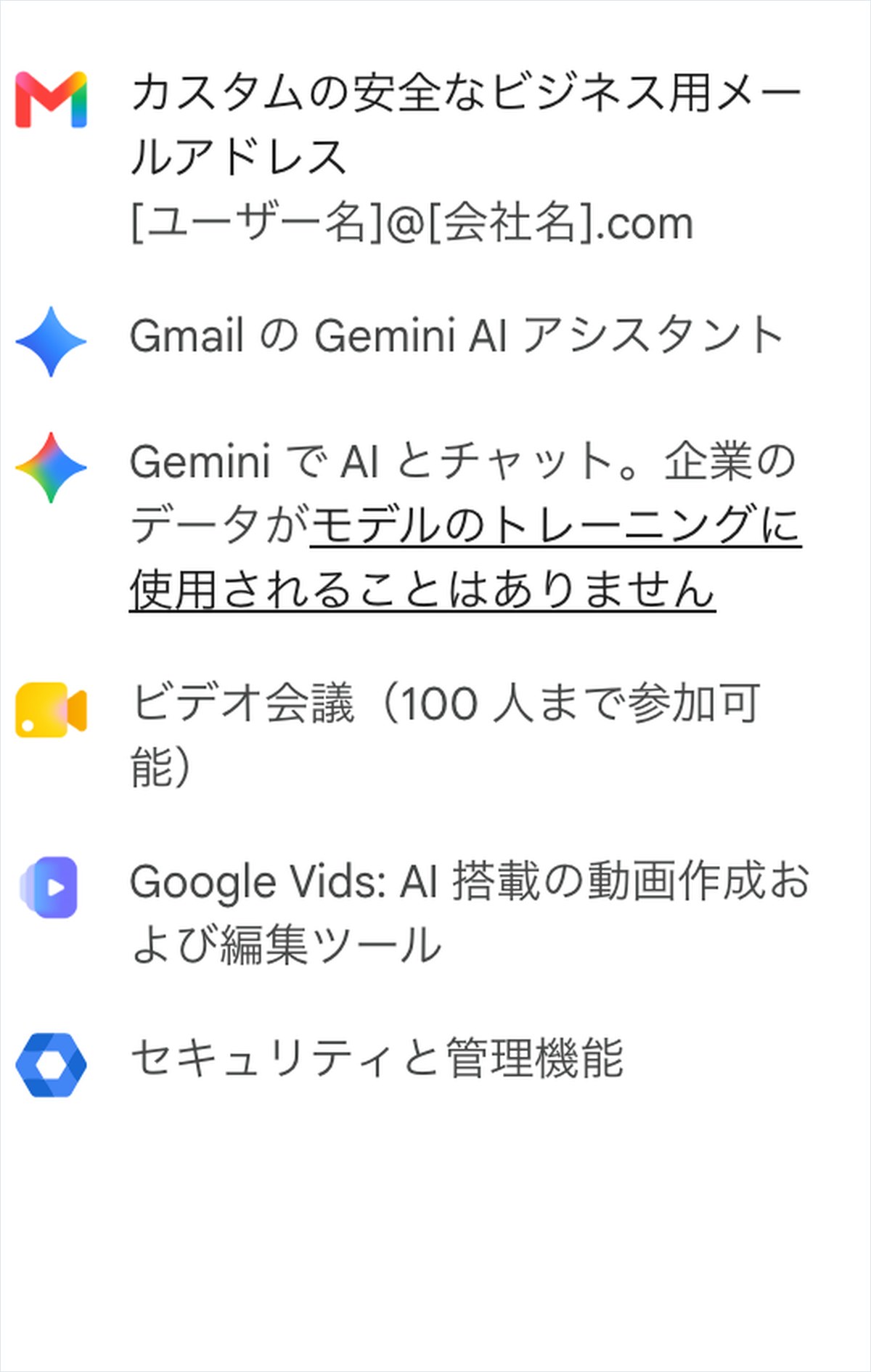
The one place where paying does change the handling is the business-oriented Google Workspace. On the pricing page, even the cheapest Starter tier states, “Your company’s data will never be used to train our models.” According to AI Tools Directory’s own records, the annual plan costs ¥800 per user per month (excluding tax), which comes to ¥9,600 a year.
At almost the same price as the personal plan, ¥725, the treatment flips entirely
The personal Google AI Plus plan costs ¥725, and Workspace costs ¥800 — a difference of just ¥75. Even so, the two are clearly different underneath. The personal plan has training on by default, and you have to turn it off yourself. Workspace has training off by default, with no action needed. Claude’s second answer also noted that the strength here is that the protection “is guaranteed by contract, not by a setting.” That’s a correct answer.
Even Workspace can’t prevent everything
Even with Workspace, the company itself still decides the sharing permissions on share links and the source documents. Gemini reads whatever documents the user can open and answers based on them, so if a document is accessible to someone who shouldn’t see it, its contents can turn up in an AI answer. Another point: an administrator can make conversations subject to retention or search. Avoid using a company account for personal matters.
Don’t put company documents into a personal account
The most common way data leaks out is when a company has Workspace in place, but an employee uses Gemini through a personal Gmail account instead. The first setting Claude recommended doing right away was, “Always log in with your Workspace account for work.” Of everything in this answer, that’s the single most effective step. A personal account’s contents can’t be deleted by the company, even after the employee leaves.
Among 220 chat and writing AI tools, the median is ¥2,990 a month — and Gemini’s business plan sits on the cheap side
If you only look at Gemini when deciding whether to adopt AI at work, you can’t tell whether it’s expensive or cheap. Counting the tools in AI Tools Directory usable for chat, writing, translation, or task automation turns up 220 tools. Among the 141 with published pricing, the median monthly price is ¥2,990. There are 113 that let you start for free, and 50 that are paid only — and the median for the paid-only group is ¥3,147.
Only 91 of 508 AI tools can be paid for in Japanese yen
Looking across all 508 tools, only 91 — 17.9% — can be paid for in Japanese yen. Most of the rest are priced in dollars, so the monthly billed amount shifts with the exchange rate, which was ¥158.09 to the dollar on November 4. Gemini’s AI Plus and Workspace can both be paid for in yen. ChatGPT Go costs ¥1,400 a month, and Microsoft Copilot costs ¥2,130 a month.
Looking at it from a protection standpoint changes the choice
Compared within the same price range, Workspace’s ¥800 a month — where training is contractually excluded — sits on the cheap side. Personal AI plans may be cheap, but in most cases you have to turn off training yourself. If several people at a company will use it, check whether training is excluded by contract from the start before comparing per-person price. Letting employees use personal accounts instead ends up costing more in the end.
Three things to do if you accidentally entered personal information into Gemini
Searching this phrase brings up a Q&A site post near the top asking about accidentally sending an image containing personal information. Once it’s been entered, there’s only so much you can do, but acting fast shrinks how much of it remains exposed.
1. Delete that conversation and turn off Activity with deletion included
First, delete that conversation from your history. Then set Activity to “Turn off and delete activity.” Note that anything already sent for human review will not be deleted. Assume it could remain for up to three years, and take the next steps on that basis.
2. Revoke the share link if you created one
If you created a share link for that conversation, delete it from your list of public links. If you sent that link in a chat or email, delete those messages too. Share links are a separate route to human eyes and have nothing to do with training.
3. Report it instead of staying silent if it’s company information
If the information involves a customer or employee, don’t handle it on your own — report it immediately to your manager or IT department. Companies that handle personal information have procedures in place for suspected leaks. Assuming you’re fine because you deleted it yourself is the thing most likely to cause the biggest problem later.
Compared with ChatGPT and Claude, Gemini’s weak point is the lack of upfront explanation before you pay
Finally, here’s how Gemini differs from other AI tools. When AInformation’s editors compared pricing pages on November 2, both ChatGPT and Claude stated on every personal plan that users “can opt out of having their data used for training.” Gemini’s personal pricing page had not a single line about how training data is handled.
Gemini makes the off switch easier to find
On the other hand, Gemini makes the off switch easier to locate. It’s right under “Activity,” just one tap in from your profile photo. The difference is: ChatGPT and Claude tell you upfront before you pay, while Gemini is easier to switch off after you’ve already paid.
Whichever AI you use, the most effective step is still not entering it at all
All three companies exclude training when you sign a business contract. Even so, routes like share links, memory, and integrations still exist outside the contract and can leak data. Review the right-hand side of the 12-item checklist once a month, and never enter the six categories on the left. These two habits cover most of what’s needed for protecting data on Gemini.
When I talk about Gemini in training sessions, the first question I always get is, “If I turn off training, can I enter anything?” The answer is no. Turning it off stops your data from being used to improve the model — it doesn’t stop you from sending it in the first place. The most common way companies leak data isn’t a setting at all; it’s employees handling work documents through personal accounts. Shift to the ¥800-a-month Workspace plan, and replace names and numbers before entering anything. Just making those two things company policy clears up most of the worry.
- Does turning off Gemini’s training setting prevent information leaks?
- It only prevents part of the risk. Turning it off stops your conversations from being used to improve the AI, but even after you turn it off, conversations stay in your account for up to 72 hours. Conversations that were already sent for human review before you turned it off stay for up to 3 years. Shared links and memory are kept separately from this training switch, so the best defense is never entering information that should not be shared in the first place.
- Is Gemini safer if I pay for Google AI Pro?
- For personal plans, the handling of your data does not change. For accounts aged 18 or older, Activity is on by default whether you use the free version, Google AI Plus (¥725 per month), or Google AI Pro (¥2,900 per month). Paying only increases your usage limits and features. If you want your data excluded from training, you need to switch to the business-oriented Google Workspace or turn off the setting yourself.
- What should a company do first before using Gemini at work?
- Set a rule that work must always be done through a company Google Workspace account. According to the pricing page, Workspace plans starting at ¥800 per month (Starter) do not use company data for training. On top of that, add rules to review the sharing permissions and share links of source documents, and to replace customer names and figures before entering them.
- What should I do if I accidentally entered personal information into Gemini?
- First, delete that conversation and turn off Activity, including the option to delete it. If you created a share link, revoke it. Note that any portion already sent for human review will not be deleted, so if it involves company information, do not handle it alone — report it to your supervisor or IT department right away.