
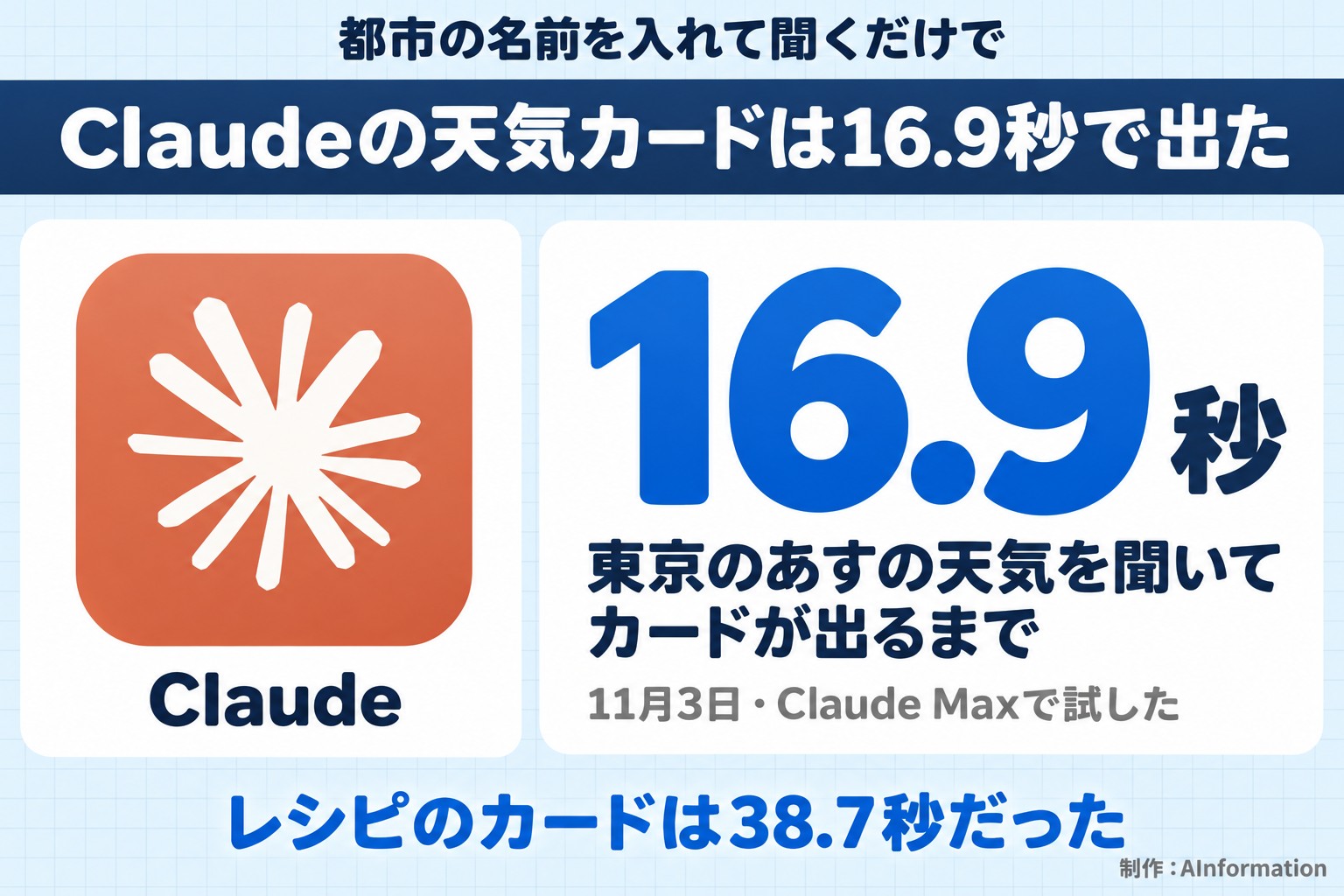
Ask Claude about the weather or a recipe and a card shows up without you asking for it. When AInformation tried this six times on November 3, 2026, the Tokyo weather card appeared in 16.9 seconds. When asked to convert a nikujaga (meat and potato stew) recipe for two servings, every ingredient amount was cut exactly in half. But when asked again using text only, the rain forecast changed.
- Ask Claude about the weather and a card appears without being requested; the Tokyo (Chiyoda Ward) card showed up in 16.9 seconds
- A nikujaga recipe became a card with 3 photos, ingredients, and 6 numbered steps in 38.7 seconds
- Asking to “convert it for two servings” rebuilt the whole card, and every ingredient amount was cut exactly in half (47.9 seconds)
- Adding one line, “make it a format I can answer by choosing,” produced 3 button-based questions in 32.5 seconds
- Writing “text only, without cards or diagrams” removed the card, but the rain forecast did not match the earlier card-based answer
- Six ready-to-use prompts and four things to watch for before you use this feature
Getting weather and recipe cards in Claude just takes asking; the weather card appeared in 16.9 seconds
There is no special setting or fixed phrasing needed to display weather or recipes in Claude. Just enter a city name and ask about the weather, or enter a dish name and ask for a recipe. On November 3, 2026, AInformation sent six prompts using the desktop browser version of Claude Max. The model shown on screen was “Opus 4.8 High.” A new conversation was opened for each task, except for the request to convert the recipe for two servings, which was sent in the same conversation as the recipe itself.
The first prompt sent was about the weather. You can copy it directly using the button in the upper right of the box below.
Please tell me tomorrow’s weather forecast for Chiyoda Ward, Tokyo, along with the high and low temperatures.
The answer came back in 16.9 seconds. A weather card reading “Chiyoda Ward, Tokyo 19° Cloudy” appeared in the conversation, with temperatures for each day from Tuesday through the following Tuesday listed below it. The text under the card read: “Tomorrow (November 4, Wed) in Chiyoda Ward, Tokyo: high 16°C / low 12°C.” Nothing in the prompt asked for a card to be shown. Even when asking in Japanese and entering the name of a Japanese ward, the card appeared normally.
The same holds for recipes. Sending the following prompt produced, in 38.7 seconds, a recipe card with three photos and separate boxes for ingredients and steps.
Please give me a nikujaga recipe for 4 servings. Write the ingredients with quantities and the cooking steps separately.
The card showed “4 servings” along with buttons to increase or decrease the serving count. A “Start cooking” button also appeared in the upper right. The response text read: “You can use the card above to adjust the quantities to the number of servings or to use a timer.”
Here is what the six tests showed overall. Both weather and recipes turned into cards even when asked in Japanese. Asking for “a format I can answer by choosing” produced a question box with buttons to select from, instead of plain text. Writing “text only, without cards or diagrams” made the card disappear. However, the rain forecast for Tokyo in that text-only answer did not match the one shown in the card-based answer. The screens and figures from each individual test are in the sections below.
Claude’s visual display splits into weather, recipes, and multiple-choice questions, according to the official help page
The official help page “Visual and interactive content” (updated March 16, 2026) explains this display as follows. Claude returns answers using boxes and images when that is clearer than text alone. Weather and recipes are displays that show real data. Charts and diagrams are treated separately, as displays that Claude builds on the spot. Button-based multiple-choice questions (Interactive inputs) are also covered on the same page.
There is one condition for weather and recipe cards: the help page states that web search must be turned on. On the editorial team’s screen, “Results from the web” appeared below the recipe card, confirming that search was active. This test did not check what happens when web search is turned off.

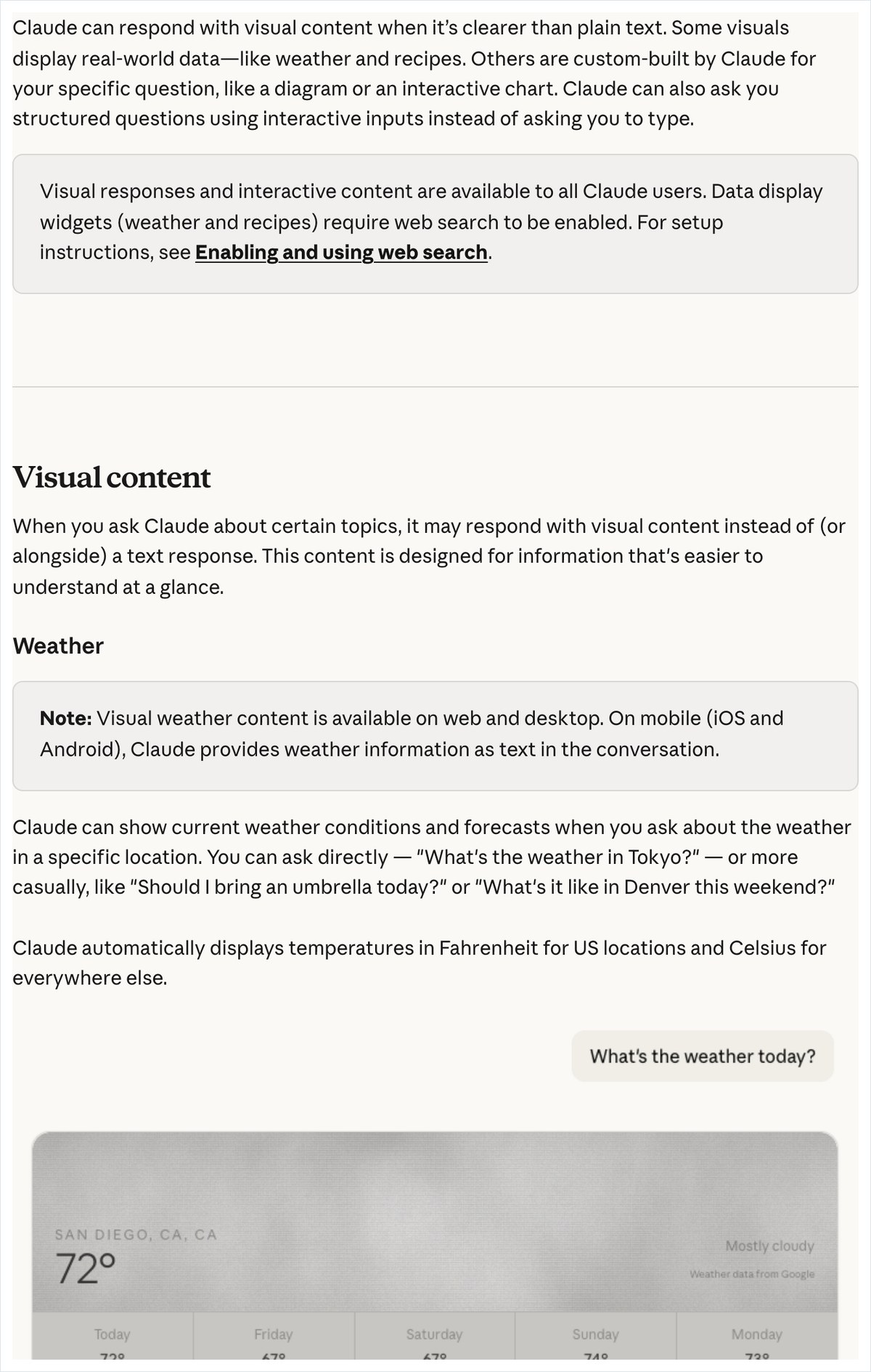
According to the help page, weather data comes from Google Maps’ system. The lower right of the card indeed showed “Google weather data.” It states that temperatures appear in Fahrenheit for US locations and Celsius elsewhere. Tokyo, Osaka, and Sapporo all showed figures in Celsius.
The help page states that recipe cards let you switch the number of servings and the units of measurement. Pressing “Get cooking” reportedly moves you to a screen that walks you through the steps one at a time. In the Japanese interface, this button read “Start cooking.” The same page’s privacy section states that card photos come from Bing image search.

“Custom visuals” that build charts and diagrams are a separate display from the weather and recipe cards covered here. This article does not include chart or diagram tasks. If you want to keep and edit what is created, that is a different feature tested in How to use Claude artifacts. Sports results are also listed on that help page. However, the help page currently describes this as a text-only display, and it was not tested this time.
Three steps to get a weather card in Claude; Tokyo showed up as a cloudy, 19° card
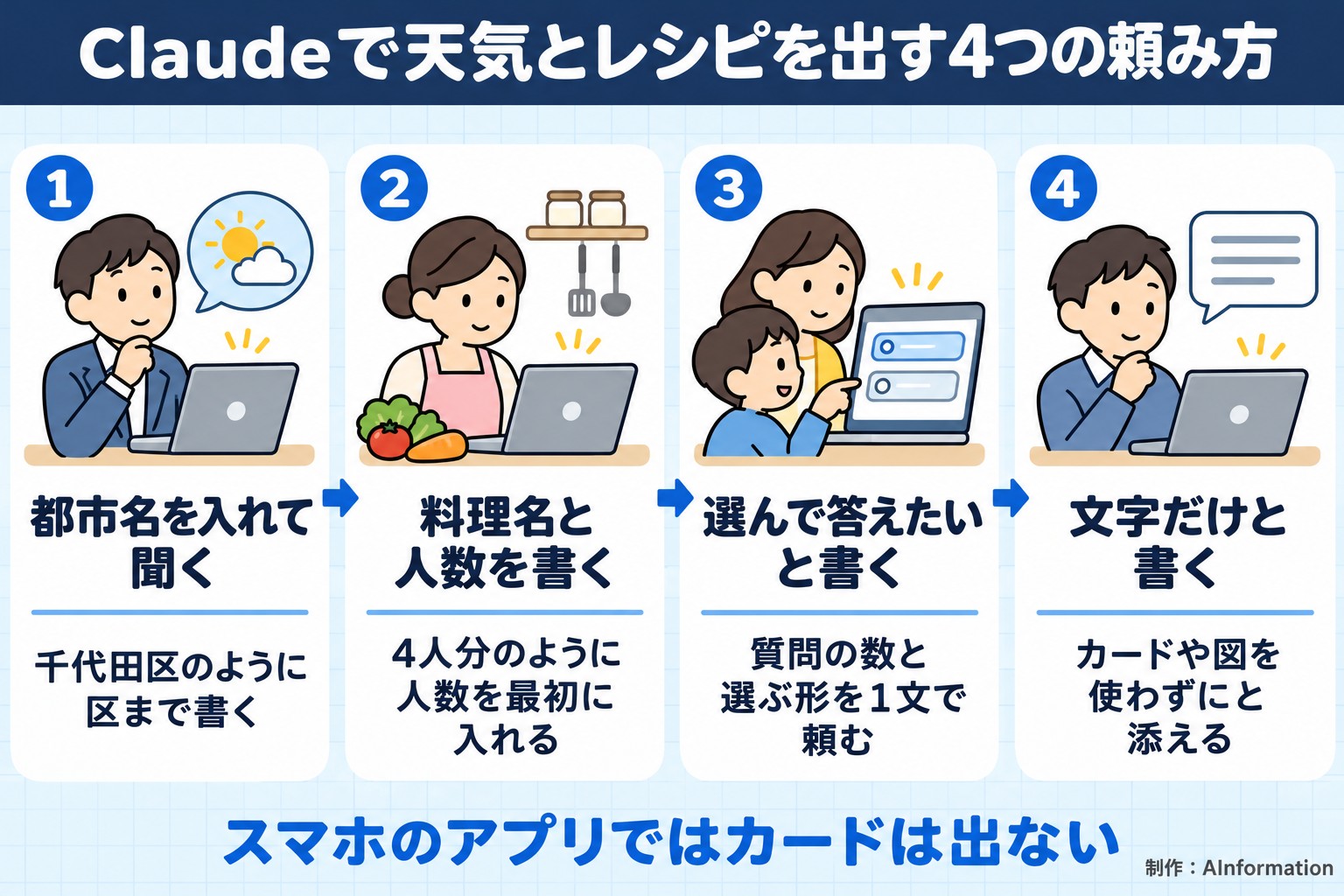
Here are the steps for getting a weather card. None of them require anything complicated.
- Open Claude in a desktop browser or desktop app (the help page states that the mobile app does not show cards)
- In a new conversation, enter the name of a city or ward and the day you want to know about, and ask
- Read the day-of-week section on the card and the high/low temperatures in the text below it separately
Here is the screen from when the weather prompt above was sent on November 3, 2026. The answer took 16.9 seconds to appear, and the text returned in the conversation totaled 379 characters. This character count includes the text inside the card and the in-progress status display.
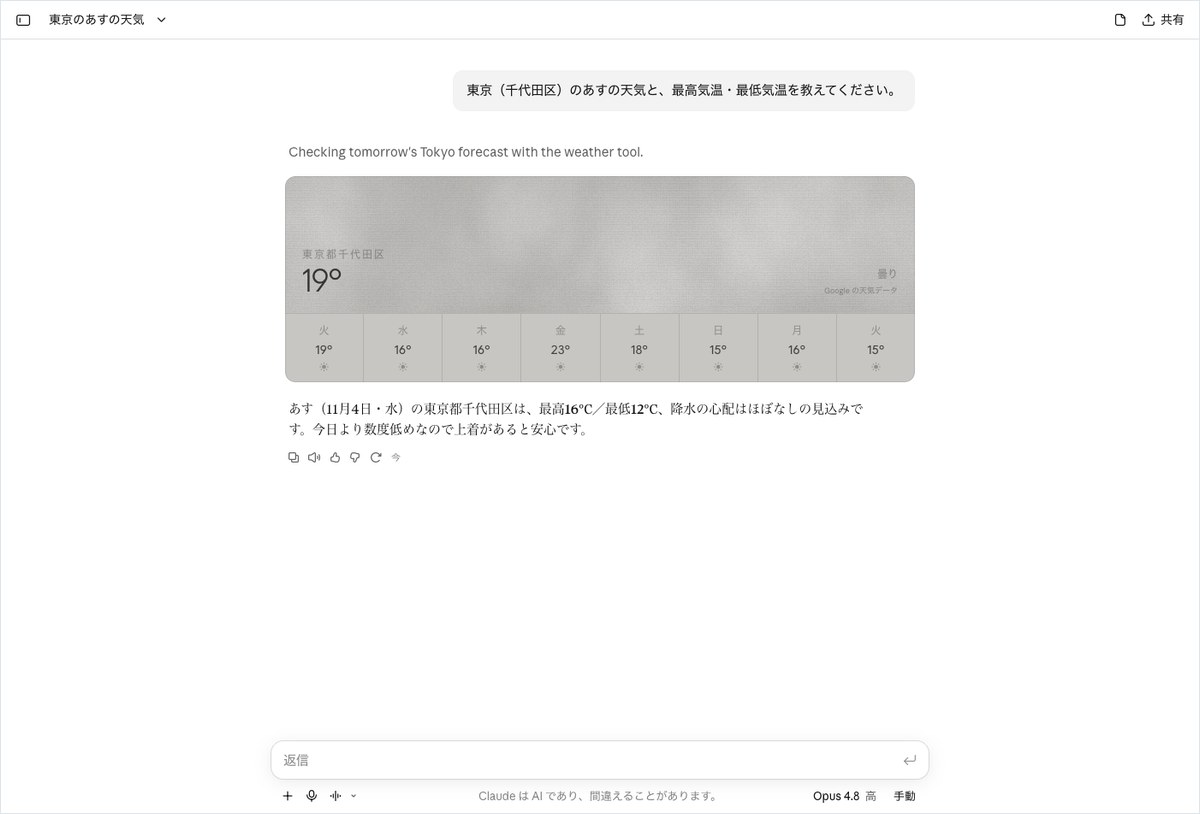
The top section of the card shows “Chiyoda Ward, Tokyo” and a large “19°,” with “Cloudy” displayed to the right. The row below lists a single number for each day of the week, starting with 19° on Tuesday, then 16° on both Wednesday and Thursday. The screen does not explain what the 19° in the top section represents. It looks like it could be the temperature at the time the prompt was sent, but this test could not confirm that.
The high and low temperatures we wanted were written not in the card but in the sentence below it: “High 16°C / Low 12°C, with little chance of rain expected.” The 16° shown for Wednesday in the day-of-week row matches the high of 16°C in that sentence. The day-of-week row shows only one number per day, and the low temperature does not appear in the card itself. To learn the low temperature, you have to read the sentence below.
Above the card, one line of English also appeared: “Checking tomorrow’s Tokyo forecast with the weather tool.” This is the status line Claude shows when it uses the weather tool. Even when asked in Japanese, this line stayed in English. It causes no real problem, but it helps to know that an English line can appear if you show the screen to someone else.
At the end of the answer was also a note: “It will be a few degrees cooler than today, so a jacket would help.” Claude added clothing advice even though it was not asked. For a simple weather question, this one exchange was enough.
Claude’s recipe card for niku-jaga for four people had three photos and six steps
For the recipe round, we set three conditions for a pass. First, the ingredients list had to include potatoes, meat, onion, soy sauce, sugar, and either mirin or dashi. Second, the amount of potatoes had to be 3 to 5 pieces or about 400 to 600 grams, matching a serving for four. Third, the steps had to be numbered. The card met all three conditions.
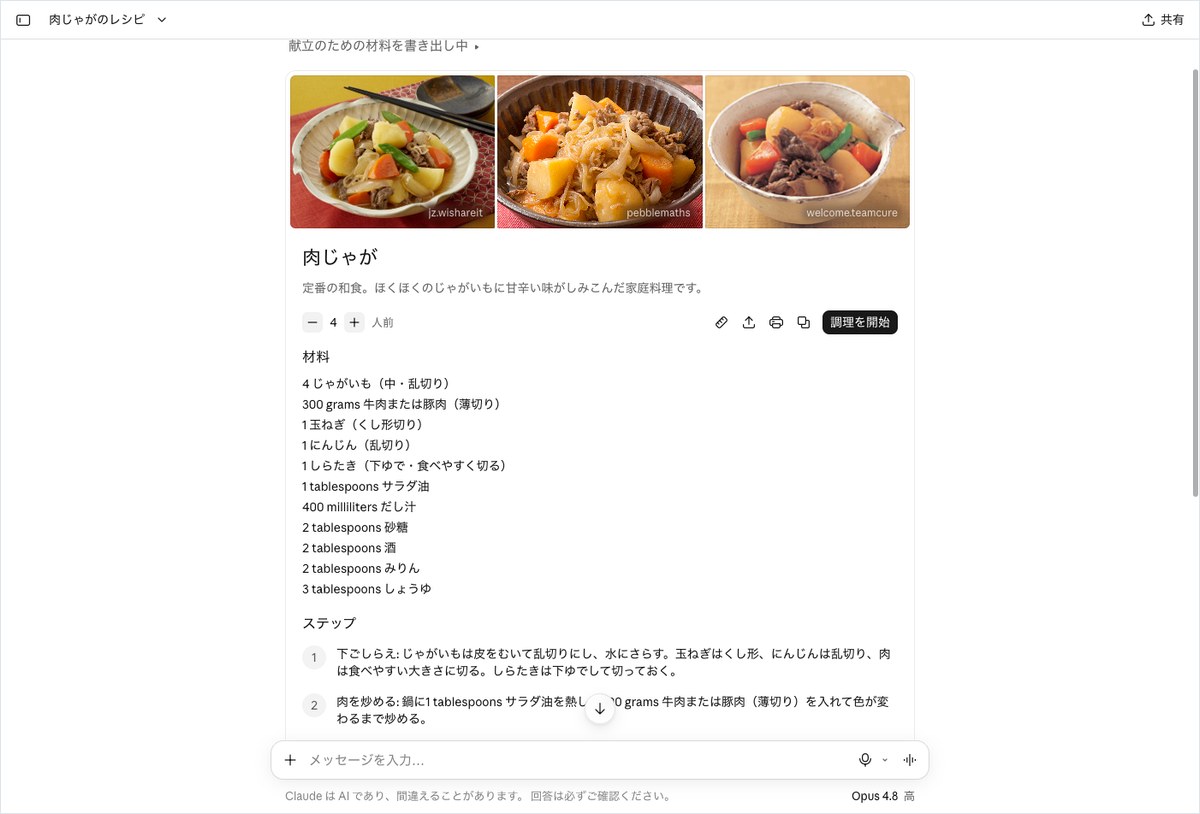
At the top of the card, three photos of niku-jaga appear side by side, each with the source site’s name shown small in the lower right corner. Below that is the heading “Niku-jaga” and a short description starting with “A classic Japanese dish.” The ingredients list shows one item per line. Potatoes were listed as 4, and the meat was “300 grams beef or pork (thinly sliced).” The dashi broth was 400 milliliters, and the soy sauce was 3 tablespoons. The steps section had six numbered steps, from prep work to the final touches.
The recipe calls for adding the seasonings in two stages, and the answer text noted that “splitting the seasonings into two additions” was the key point. The notes section also included a tip such as “If you don’t have a drop lid, aluminum foil works as a substitute.” Since the amounts are also included within the step text, you can cook by following just the steps section.
One thing that stood out was the units. The ingredients list was in Japanese, but the units alone appeared in English as “grams,” “milliliters,” and “tablespoons.” The sugar entry, “2 tablespoons,” is the same as the familiar Japanese measure of 2 ōsaji, but this mixed format is hard to read for someone not used to cooking. Meanwhile, the notes section used the Japanese unit, writing “sugar to 3 ōsaji.” The formatting was not consistent within the same card. The help documentation says units can be switched within the card, but AInformation did not try that toggle in this test.
The answer ran 1,099 characters, including the text in the card’s ingredients and steps. It took 38.7 seconds for the answer to appear, longer than the 16.9 seconds for the weather question.
The names shown below the photos all belonged to other sites that publish cooking or recipe content. Below the card is also a “Results from the web” section. The ingredients and amounts were compiled by Claude itself, and this test did not check whether they match the original sites’ recipes.
The request for two servings and reduced-salt soy sauce produced an entirely new card, with every amount cut in half
In the same conversation, we sent the following message. The condition for a pass was that every ingredient amount for four servings be cut exactly in half. We also required that the soy sauce be swapped for reduced-salt soy sauce. If even one amount was not halved, we would mark it a fail.
Please adjust the current recipe to serve 2 people. Also change the soy sauce to reduced-salt soy sauce.
The answer came back in 47.9 seconds, the longest of the six tests. The result was a pass. The potatoes went from 4 to 2, and the meat went from 300 grams to 150 grams. The dashi broth went from 400 milliliters to 200 milliliters. The soy sauce was replaced with “1.5 tablespoons reduced-salt soy sauce.”
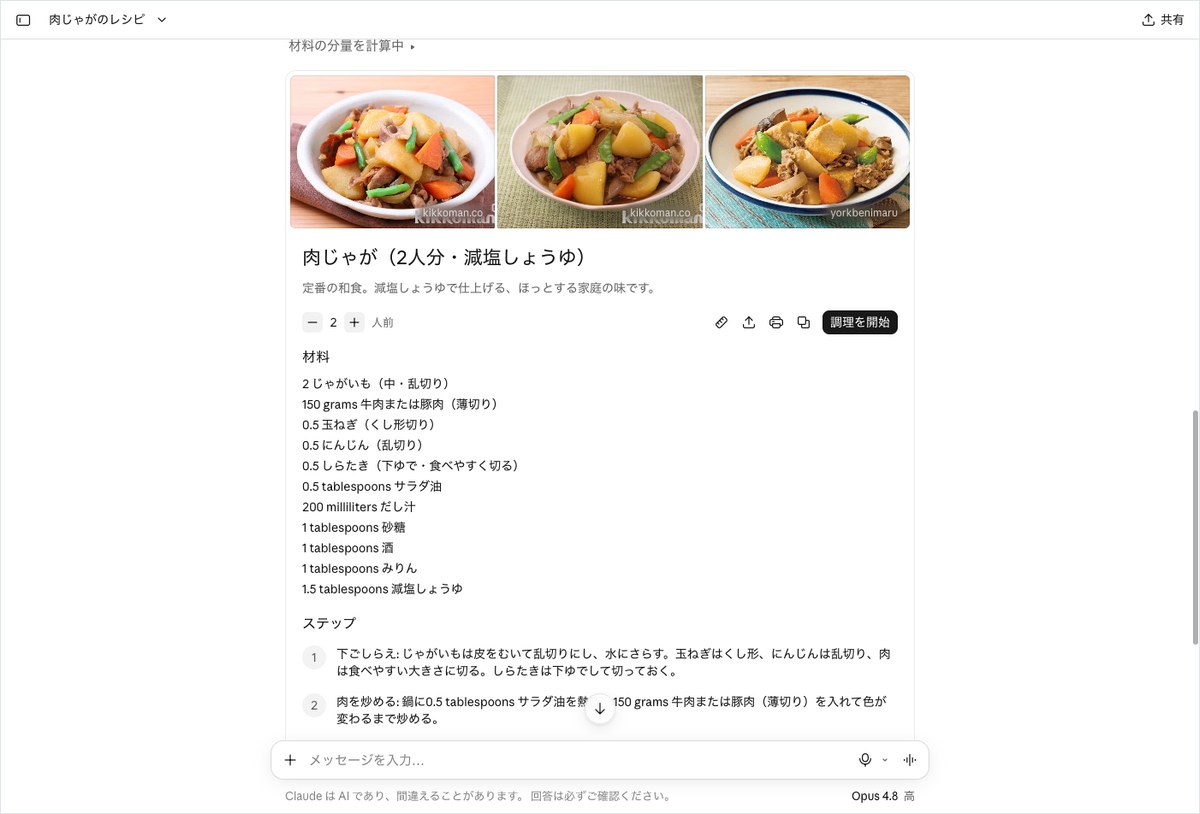
What’s interesting is how the change was made. Rather than simply switching the serving count on the previous card from 4 to 2, Claude generated an entirely new card. The heading changed to “Niku-jaga (2 servings, reduced-salt soy sauce),” and the one-line description was rewritten to “Finished with reduced-salt soy sauce.” The three photos at the top were also swapped out for photos from different sites than before. The serving count field read “2 servings.”
Niku-jaga ingredients were all cut in half going from 4 servings to 2 servings
| Ingredient | 4 servings (1st time) | 2 servings (after adjustment) | Halved? |
|---|---|---|---|
| Potatoes (medium) | 4 | 2 | Yes |
| Beef or pork | 300 grams | 150 grams | Yes |
| Onion | 1 | 0.5 | Yes |
| Carrot | 1 | 0.5 | Yes |
| Shirataki noodles | 1 | 0.5 | Yes |
| Salad oil | 1 tablespoons | 0.5 tablespoons | Yes |
| Dashi broth | 400 milliliters | 200 milliliters | Yes |
| Sugar, sake, mirin | 2 tablespoons each | 1 tablespoons each | Yes |
| Soy sauce | 3 tablespoons | Reduced-salt soy sauce 1.5 tablespoons | Yes (substitution also correct) |
The table above checks the ingredients line by line. Onion, carrot, and shirataki noodles all went from 1 to 0.5. Salad oil went from 1 tablespoons to 0.5 tablespoons. Sugar, sake, and mirin each went from 2 tablespoons to 1 tablespoons. Not a single ingredient was left un-halved. The amounts within the step text were also adjusted for 2 servings, as in “0.5 tablespoons salad oil.”
A note was added about the saltiness of reduced-salt soy sauce, advising the reader to taste and adjust gradually. The answer text also stated, “The steps themselves remain unchanged.” By clearly separating what was changed from what wasn’t, Claude leaves the reader with no confusion.
That said, a number without a unit shown as a decimal, like “0.5 onion,” is awkward for home cooking. It’s easy enough to read as half an onion, but some readers might find it confusing. This test did not check whether pressing a serving-count button to switch to 2 servings produces the same amounts. Since asking in conversation also swaps out the photos, using the button may be quicker if you just want to change the amounts.
Claude’s multiple-choice questions: one line asking for “answerable choices” produced three question boxes
According to the help documentation, Claude sometimes shows button-based multiple-choice questions when it wants more information before answering. For a travel-planning example, three types are given: letting you choose a budget, letting you choose what you want to do, and letting you rank your priorities. AInformation tested this with a request for advice on a day trip.
I want to decide on a destination for a day trip from Tokyo this weekend with my family of 4 (2 elementary school-age kids). Before suggesting any destinations, please ask me 3 questions. Make the questions answerable by choosing from options.
The condition for a pass was that there be exactly three questions and that no candidate destinations be suggested yet. We marked the display as a pass if the questions appeared as selectable buttons, and a partial pass if they appeared as a plain bulleted list. The answer came back in 32.5 seconds, and both the display format and the content passed.
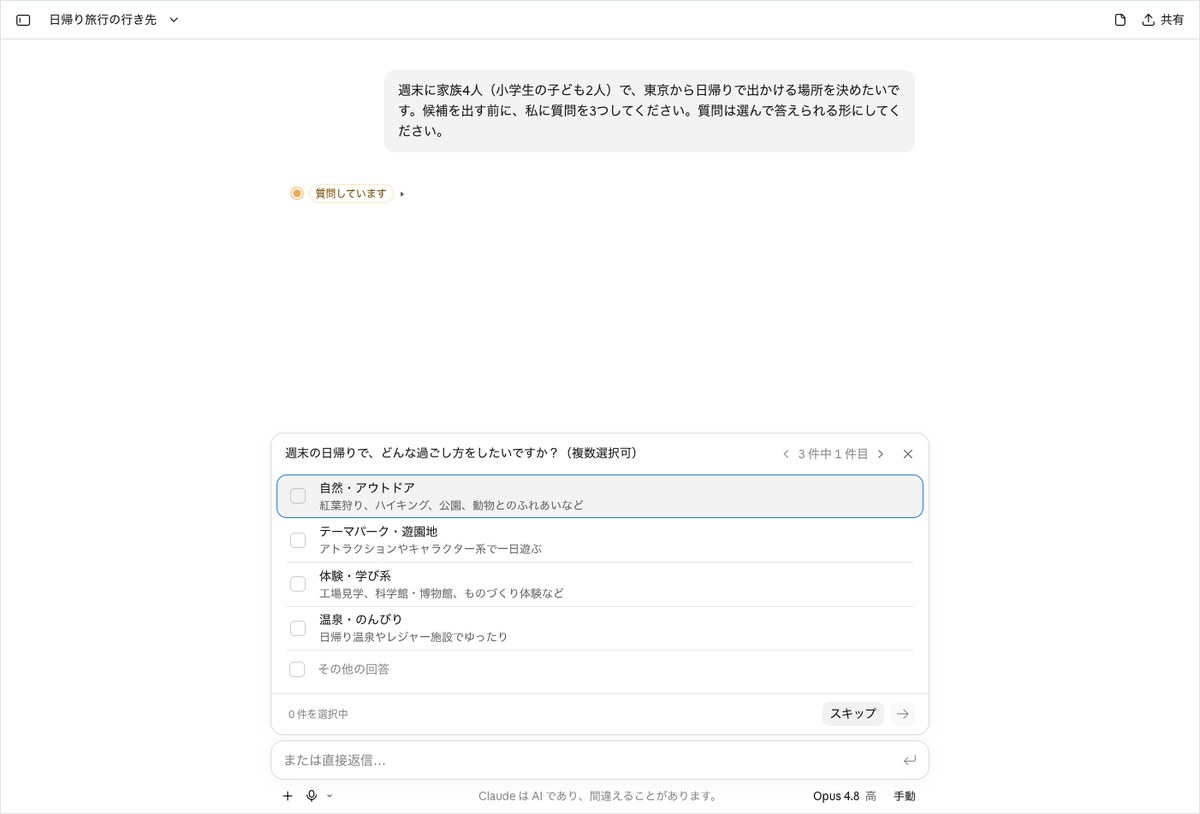
Right above the input box, a white question box appeared. The first question was: “How do you want to spend your weekend day trip? (Multiple choices allowed)” The options were “Nature and outdoors,” “Theme parks and amusement parks,” “Experience and learning,” and “Hot spring and relaxation,” 4 options in all, plus “Other answer.” Each option came with a short description, such as “Factory tour, science museum or museum.”
In the upper right corner of the box, it read “1 of 3,” and left and right arrows let you move between questions. This confirmed that exactly three questions came up. Below that was a “0 selected” indicator and a “Skip” button, and the input field read “Or reply directly…” So you could answer in text instead of using the buttons.
In the conversation area, only an “Asking questions” indicator appeared, and no destination candidates were listed. The answer was 17 characters long, essentially just this indicator. The content of the questions lived inside the box, not as text in the conversation. Since we did not answer the first question, we did not see the second and third questions this time. This test also did not check what candidates would appear after answering.
This is useful in situations like family plans or workplace consultations, where people often forget to state conditions. Just adding one line, such as “Make the questions answerable by choosing from options,” lets you gather all the conditions without typing a long message. When we specified the number of questions, Claude produced exactly that number.
Three-day weather for Osaka and Sapporo: two cards side by side, compared in a table
Next is a prompt comparing two cities side by side. We set the passing line as 1 point per day, for a maximum of 6 points, if the weather for each city on each day matched the Japan Meteorological Agency’s forecast category. For days needing an umbrella, we planned to check against the Japan Meteorological Agency using a 50% or higher chance of rain or a day with rain or snow.
Please compare the weather for Osaka City and Sapporo City side by side for the next three days starting tomorrow. Also tell me which days need an umbrella in each city.
The answer took 23.2 seconds and ran 578 characters. Two weather cards for Osaka City and Sapporo City appeared stacked in the conversation. Osaka City had a blue background showing “20° Sunny,” while Sapporo City had a gray background showing “8° Cloudy.” Seeing the two cards together makes it clear how the background color changes with the weather.
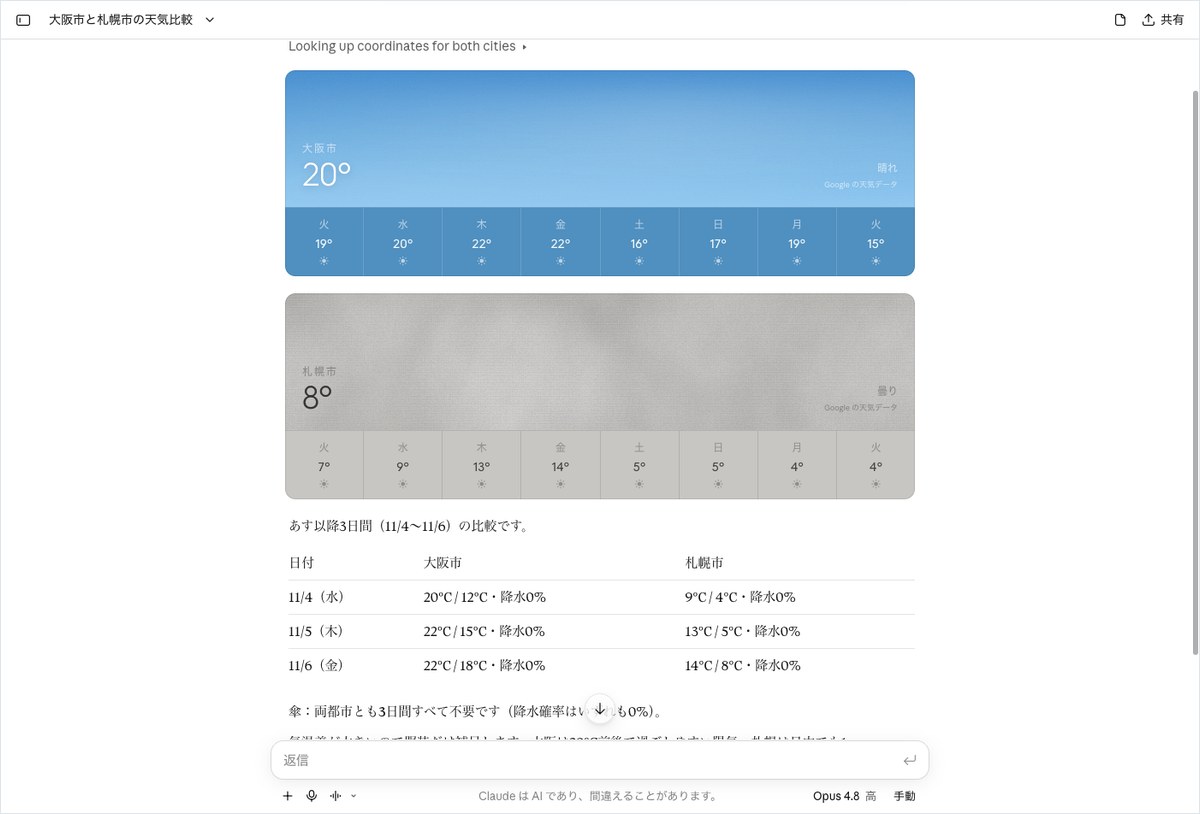
Below the cards, Claude built a text table. It covered three days, from November 4 (Wed) to November 6 (Fri). Osaka City started at “20°C / 12°C, 0% precipitation,” and Sapporo City started at “9°C / 4°C, 0% precipitation.” On umbrellas, Claude stated flatly: “Neither city needs one on any of the three days.” At the end, it added a short clothing note saying Sapporo will turn cold, so a jacket is needed.
Once again, the progress indicator read in English: “Looking up coordinates for both cities.” Below the table was a “Create spreadsheet” button. This looks useful for saving a comparison as a spreadsheet, though we did not click it this time.
Our records for this test do not include a check against the Japan Meteorological Agency’s forecast. As a result, we could not score it out of 6 points, and this test does not judge whether it was right or wrong. What we can confirm is that the numbers in the card and the table matched. For Osaka on Wednesday, the card showed 20° and the table showed 20°C; for Sapporo on Wednesday, the card showed 9° and the table showed 9°C.
Asking for “text only, two lines” removed the card, and the rain forecast changed to 80% in the afternoon
The last test checks whether you can ask Claude not to show a card. The help page does not clearly explain how to ask for the card to be removed. Our pass criterion was no card, with the text fitting within two lines.
Please tell me tomorrow’s weather for Tokyo (Chiyoda Ward) in text only, in two lines, without using any cards or charts.
The answer took 23.2 seconds, and no card appeared. The main text was exactly two lines, so the display passed. The first line read: “Tomorrow in Chiyoda Ward, Tokyo will be cloudy with occasional rain, high of 16°C and low of 13°C.” The second line gave the chance of rain and a short note about umbrellas. Below the two lines were two source labels reading “weathernews.”
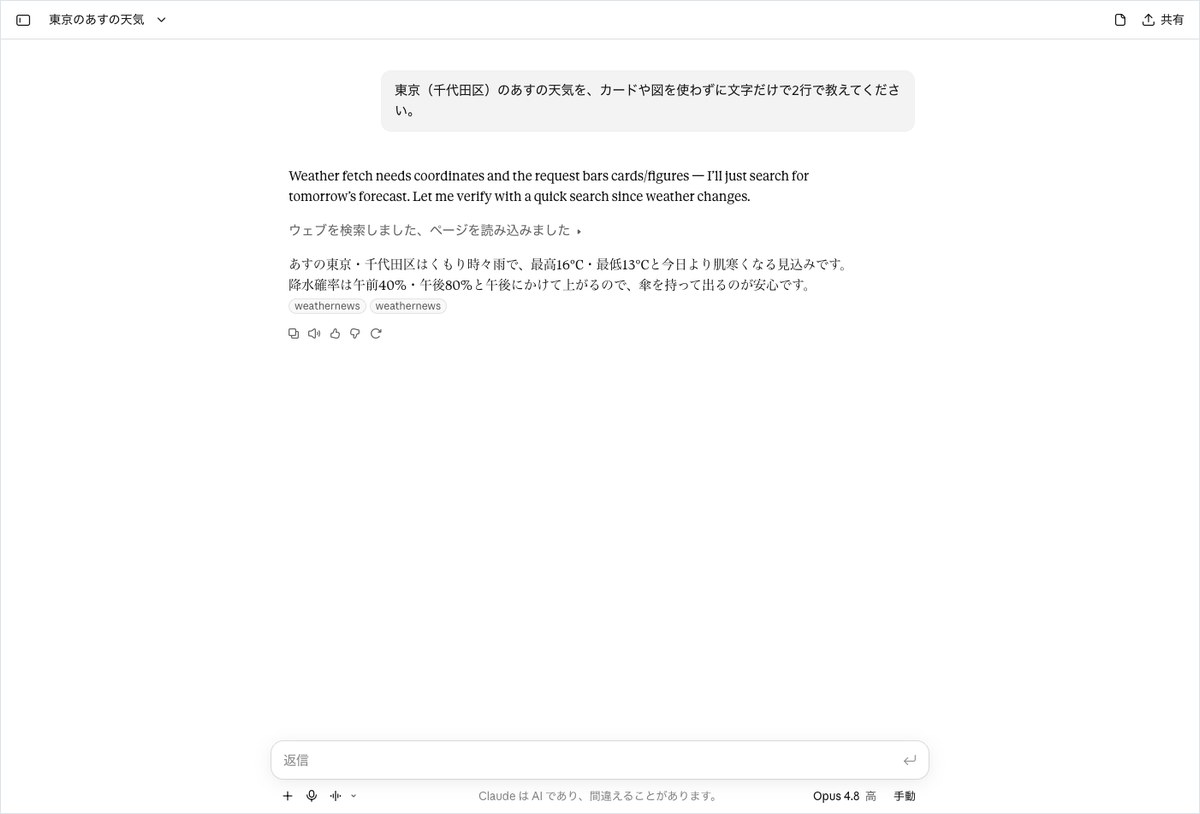
Here we found a discrepancy with the first run. In the first card-based answer, Claude said there was “almost no chance of rain.” This time, it said “cloudy with occasional rain,” with a chance of rain of “40% in the morning, 80% in the afternoon.” It even wrote that bringing an umbrella would be a safe choice. We asked about tomorrow’s weather in the same place on the same day, yet one answer said no umbrella was needed and the other said one was. The low temperature also differed: 12°C the first time, 13°C this time.
The screen offers a partial explanation for the difference. The first card showed “Google weather data.” This time, the answer opened with a line in English stating that it would not use the weather tool and would instead look things up through a search. After that, an indicator showed that Claude had searched and read a page, and the weathernews label appeared. Stopping the card seems to have changed where the weather data came from. We cannot say which answer was correct, since we did not check either against the Japan Meteorological Agency.
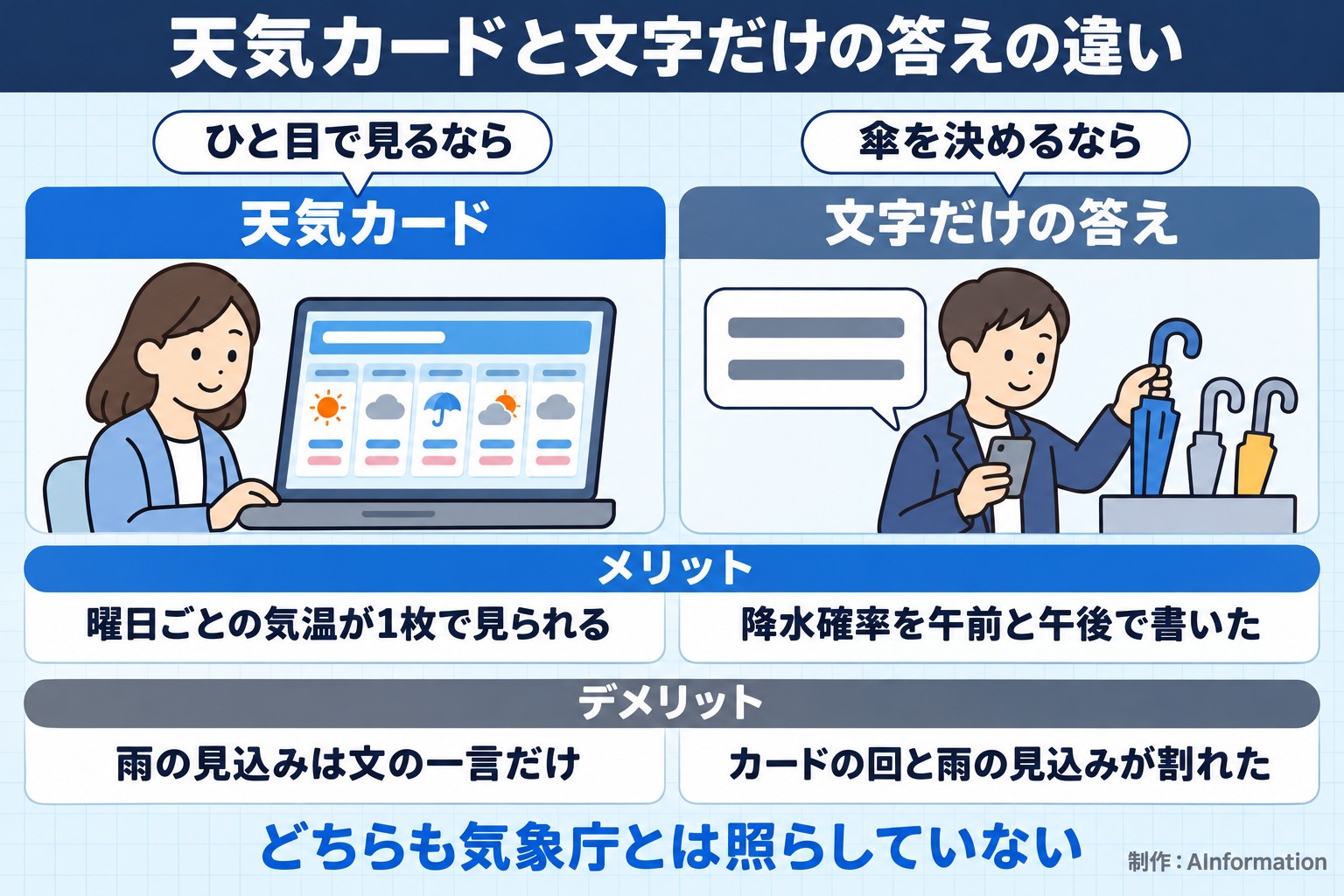
From a user’s standpoint, a card lets you see the daily temperatures at a glance. On the other hand, the rain forecast was reduced to one short line of text. The text-only answer broke the chance of rain into morning and afternoon. If you need to decide on an umbrella before heading out, it is safer to check the chance of rain on the Japan Meteorological Agency’s site or a weather company’s page, even after looking at a card.
On following instructions, this run complied well. The “two lines” request was followed exactly. For situations where you do not need a card, such as pasting into a text memo, this phrasing can remove it.
Across six runs, times ranged from 16.9 to 47.9 seconds, and only the weather answers were inconsistent
The table below summarizes the results of all six runs. We set the pass criteria for each task in advance. For weather, a pass means a card appeared in the conversation. For recipes, a pass means the ingredients, amounts and numbered steps were all present. For the two-serving version, a pass means every ingredient was cut exactly in half. For the multiple-choice question, a pass means exactly three questions appeared with no candidates listed. For the text-only answer, a pass means it fit within two lines with no card.
Results of testing Claude’s visual display with six tasks
| Task | Seconds | Characters | Display | Accuracy check |
|---|---|---|---|---|
| Tomorrow’s weather in Tokyo | 16.9 sec | 379 characters | Weather card: yes | Not checked against the Japan Meteorological Agency |
| Niku-jaga (meat and potato stew) for 4 | 38.7 sec | 1,099 characters | Recipe card: yes | Pass — ingredients, amounts, and numbered steps |
| 2 servings, low-sodium soy sauce | 47.9 sec | 1,083 characters | Card rebuilt: yes | Pass — everything halved |
| Three questions asked first | 32.5 sec | 17 characters | Selectable boxes: yes | Pass — 3 questions, no candidate answers |
| 3-day forecast for Osaka and Sapporo | 23.2 sec | 578 characters | 2 cards plus a table | Not checked against the Japan Meteorological Agency |
| Tokyo weather in 2 lines of text only | 23.2 sec | 473 characters | No card: yes | Pass — 2 lines, but the rain forecast conflicted with the first run |
On the display side, none of the six runs failed to produce the intended format. Both weather questions produced a card, and both recipe questions produced a recipe card. The multiple-choice question appeared as selectable boxes. The text-only request came back with no card. We also confirmed that a display shown by default can be removed simply by asking.
Response times ranged from 16.9 seconds for the first weather query, the shortest, to 47.9 seconds for the 2-serving adjustment, the longest. Both the 2-city weather query and the text-only weather query took 23.2 seconds. The recipe took 38.7 seconds, longer than the weather queries. This looks like the time needed to gather photos and build the card, but the screen does not show what happened internally.
Character counts ranged from 17 for the multiple-choice answer, the shortest, to 1,099 for the recipe, the longest. The 2-serving recipe came to 1,083 characters, almost the same length as the 4-serving version. Because the card was rebuilt, it includes the full rewritten ingredients and steps.
On accuracy, both recipe runs and the multiple-choice run passed every check. The three weather runs were not judged because they were not checked against the Japan Meteorological Agency. That said, the fact that the rain forecast differed between two runs for the same question — tomorrow’s weather in Tokyo — is the most important finding in this test.
We judged the naturalness of the Japanese by reading the text outside the cards. Sentences such as “It’s a few degrees cooler than today, so a jacket would be reassuring” were short, natural, and direct. Two things stood out: the English units in the ingredients, and a line of English shown during processing.
Four things to know before using Claude’s weather and recipe display
Based on our hands-on testing and the official help documentation, here are four things worth knowing before you use this feature.
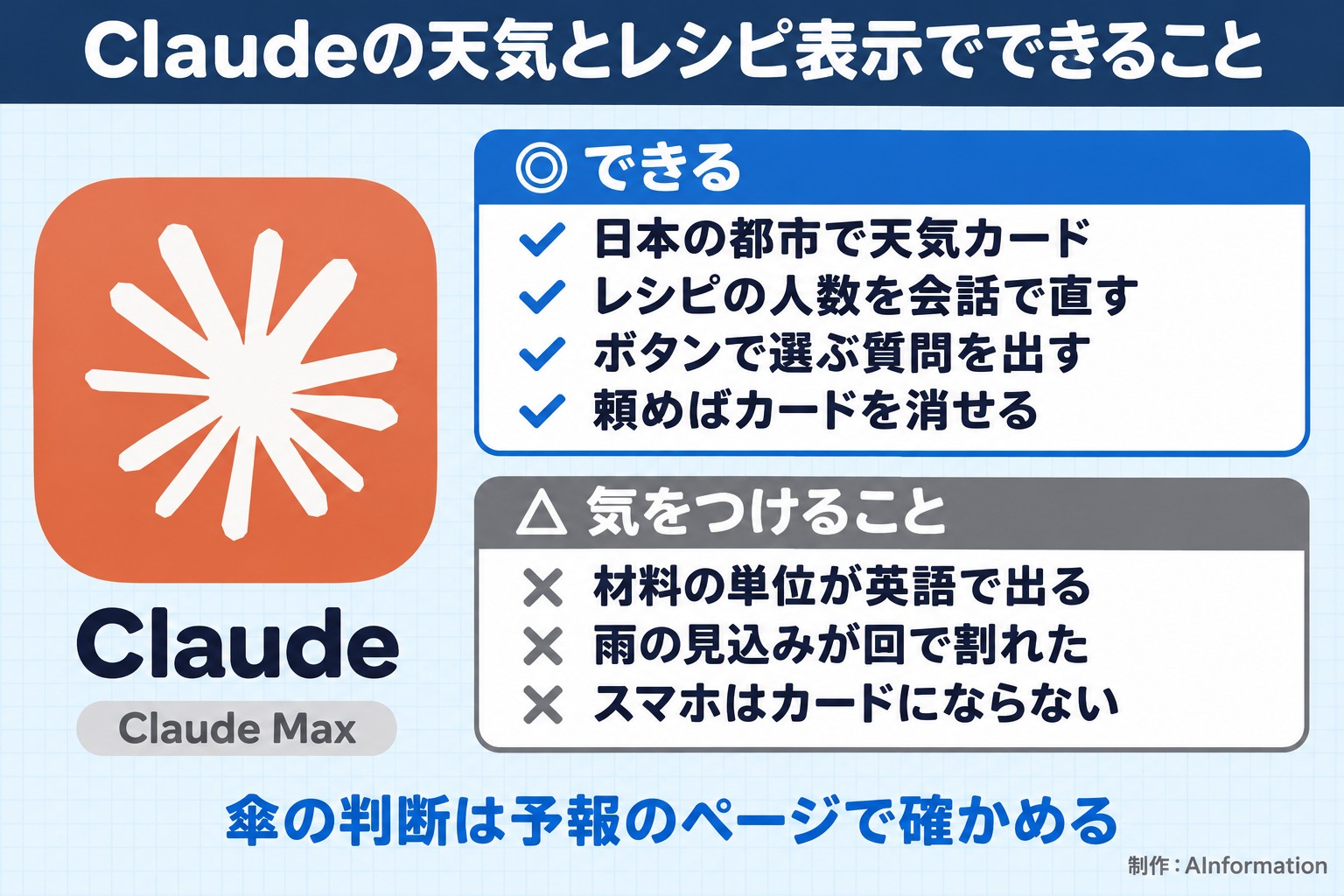
1. Don’t decide on an umbrella based on the card alone
This was the biggest pitfall in our test. We asked about tomorrow’s weather in Tokyo twice on the same day. The card run said “almost no chance of rain,” while the text-only run said “80% in the afternoon.” Cards are good for seeing temperatures side by side, but they don’t show the chance of rain. Before heading out, it’s safer to confirm your umbrella decision on a weather forecast page.
2. Ingredient units and process messages can appear in English
In the recipe card, units such as “tablespoons,” “grams,” and “milliliters” appeared in English as is. Process messages also appeared in English, such as “Checking tomorrow’s Tokyo forecast” and “Looking up coordinates.” If you’re showing the screen to family or coworkers, it helps to translate these into familiar measurements. We did not test whether the unit switching described in the help documentation changes this to Japanese units.
3. The smartphone app does not show cards
According to the help documentation, weather and recipe cards appear only on the web and desktop versions. On the iPhone and Android apps, the same content comes back as plain text. We tested only in a desktop browser and did not check how this appears in the app. If you want to follow steps on your phone while cooking, keep this in mind.
4. Recipe photos come from other sites, and ingredients are rewritten
According to the help documentation, recipe photos come from Bing image search. The name of the original site also appeared in the lower right corner of the photo in the card. The dish in the photo is not necessarily the same recipe as the ingredients in the card. If you paste a card screenshot into a document for others to see, keep in mind that the photo belongs to someone else.

The help documentation states that the visual display is available to all users. It does not mention any difference between pricing plans, and we tested only with Claude Max. We did not confirm how this appears on the free plan in this test.
Related articles and tools
- Claude (AI tool profile page)
- How to use Claude’s Docs feature, plus 4 ready-to-use prompts
- How to use and fix Claude’s Artifacts, with 2 prompts
- Comparing 4 AI project features — 3 prompts for asking about 3 documents
- How to create PDFs with Gemini and where to check the numbers
- The trick to building a website with ChatGPT is checking 3 items in 23.6 seconds
- Steps to migrate before Gemini’s Gem feature is discontinued, and how usage differs
The weather and recipe cards showed up just by asking, and they were easy to read. When I asked to adjust a recipe’s serving size, every ingredient amount was cut exactly in half. That’s good enough for a quick meal-planning draft. On the other hand, when I asked about Tokyo’s weather for the next day twice on the same day, the answers didn’t match. The run that returned a card said there was almost no chance of rain, while the text-only run gave an afternoon rain probability of 80%. I’d treat the card as a tool for checking the general temperature trend, and confirm anything about carrying an umbrella or making plans on an actual weather forecast page. Used with that line drawn, the cards let you look things up quickly in the middle of a conversation.
- Does Claude’s weather card work on the free plan too?
- Official help documentation states that the visual display is available to all users. The condition is that web search must be turned on for weather and recipe displays to appear. AInformation only tested this in a web browser on a computer with a Claude Max plan, so this review did not confirm how it behaves on the free plan.
- Do the weather and recipe cards also show up in the Claude mobile app?
- According to official help documentation, they do not. The weather and recipe cards only appear on the web and desktop versions; the iPhone and Android apps return the same content as plain text instead. The editorial team only tested this in a web browser on a computer and did not check how it appears in the app.
- Can you get Claude to answer in text only, without showing a card?
- Yes. When we asked, “Please answer in two lines of text only, without using cards or diagrams,” Claude returned exactly two lines of text with no card after 23.2 seconds. However, in that case it indicated it had looked up the information through search rather than using the weather tool, and the rain forecast differed from the version with the card.
- How do you change the serving size in a recipe?
- When we asked in the chat, “Please adjust this for 2 servings,” the entire card was rebuilt in 47.9 seconds. Every ingredient amount was cut exactly in half. The photo was also swapped for one from a different site. The card itself also has a button for changing the serving size, and official help documentation says you can switch both the serving size and the units that way, though the editorial team did not press that button.
- Can you trust Claude’s weather forecasts?
- For decisions like whether to bring an umbrella, it’s safer to also check an actual weather forecast page. When we asked about Tokyo’s forecast for the next day twice on the same day, the answers didn’t match. The run with the card showed almost no chance of rain, while the text-only run gave an 80% chance of rain in the afternoon. The card cited Google’s weather data as its source, while the text-only run cited weathernews. We did not cross-check either against the Japan Meteorological Agency.