
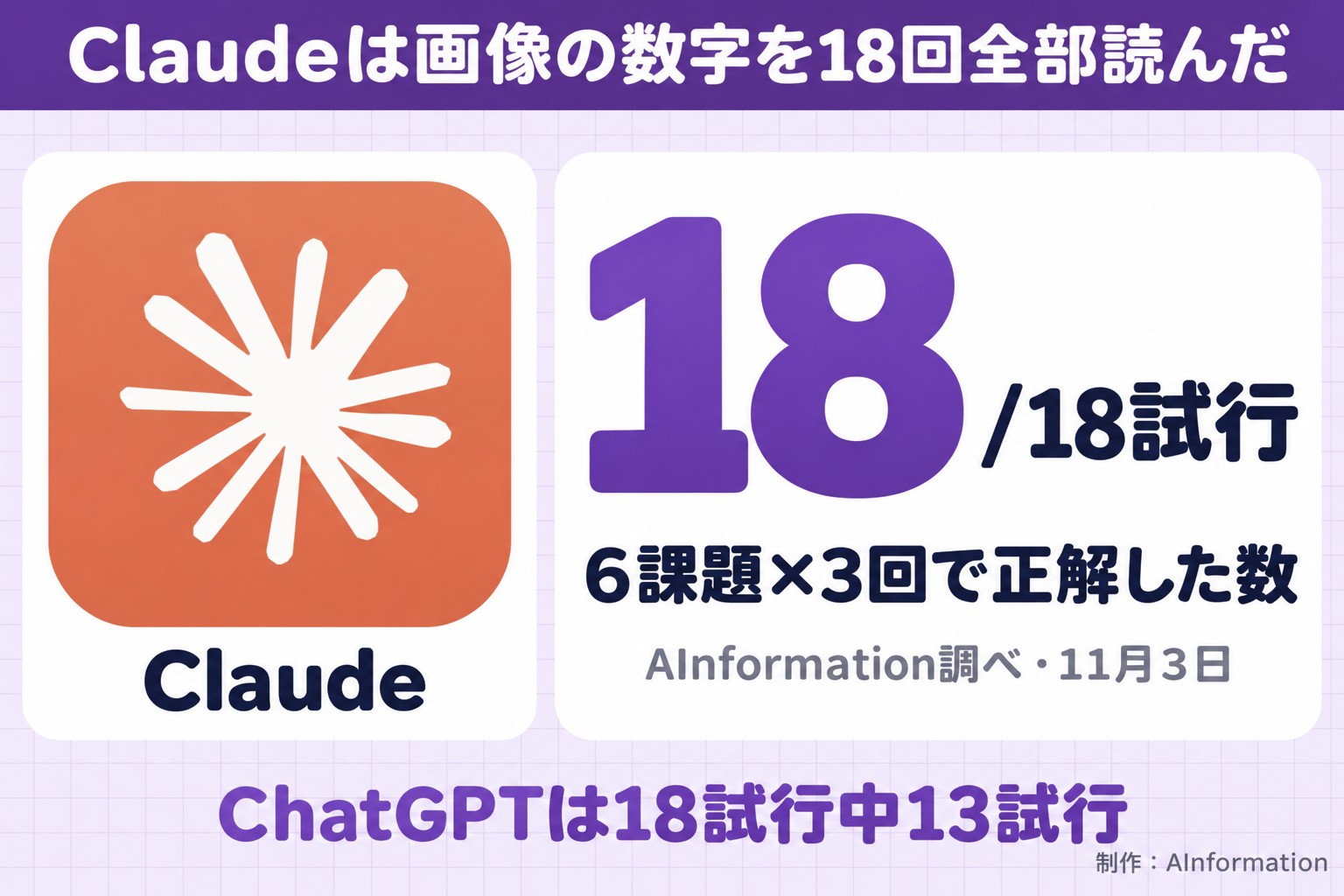
On November 3, 2026, we ran six image-reading tasks involving numbers three times each across four AI tools. Claude got 18 of 18 attempts correct (100.0%). ChatGPT got 13 of 18 correct (72.2%). Gemini timed out on 10 attempts, and Copilot showed a usage-limit message on all 18 attempts.
- On November 3, 2026, we ran six image-reading tasks involving numbers three times each across four AI tools, for 72 attempts total, and scored them by machine
- Claude got 18 of 18 attempts correct (100.0%), with a median response time of 13.9 seconds
- ChatGPT got 13 of 18 attempts correct (72.2%). Of the attempts it missed, 4 timed out at 300 seconds
- Gemini got 7 of 18 attempts correct (38.9%). Of the 18 attempts, 10 timed out
- Microsoft Copilot showed a “You’ve reached your daily limit” message on all 18 attempts and never returned an answer based on the image
- You can copy and try the three prompts we used to read a receipt, a bar chart, and a tilted table
Claude read images correctly on 18 of 18 attempts
We counted an attempt as correct only if the AI matched every number or item set for that task with no errors. By this standard, Claude got 18 of 18 attempts correct (100.0%). It returned the same correct numbers all three times for the receipt, the bar chart, and the tilted table.
ChatGPT came in second, with 13 of 18 attempts correct (72.2%). Of the attempts it missed, 4 were the third round of tasks 3 through 6, where the answer never stopped generating before the 300-second limit. The remaining miss was on the tilted table task. All the numbers were correct, but the formatting of the row labels did not match the scoring criteria.
Gemini got 7 of 18 attempts correct (38.9%). Ten attempts timed out, and one came back with “I’m not programmed to handle that yet.” That said, whenever Gemini did return numbers, it never misread them.
Microsoft Copilot showed a “You’ve reached your daily limit” message on all 18 attempts. Its accuracy rate on the scoring table reads 0% (0 of 18 attempts), but that number does not reflect its actual image-reading ability.
The biggest gap between the tools was not accuracy in reading numbers but whether an answer came back at all. Claude had zero timeouts, with a median response time of 13.9 seconds. The full task text, all 72 responses from the four AI tools, the scoring sheet (CSV, one row per attempt), and screenshots are all available at the full scoring sheet and responses for this round.
Method: six tasks, three rounds each, across four AI tools, for 72 attempts
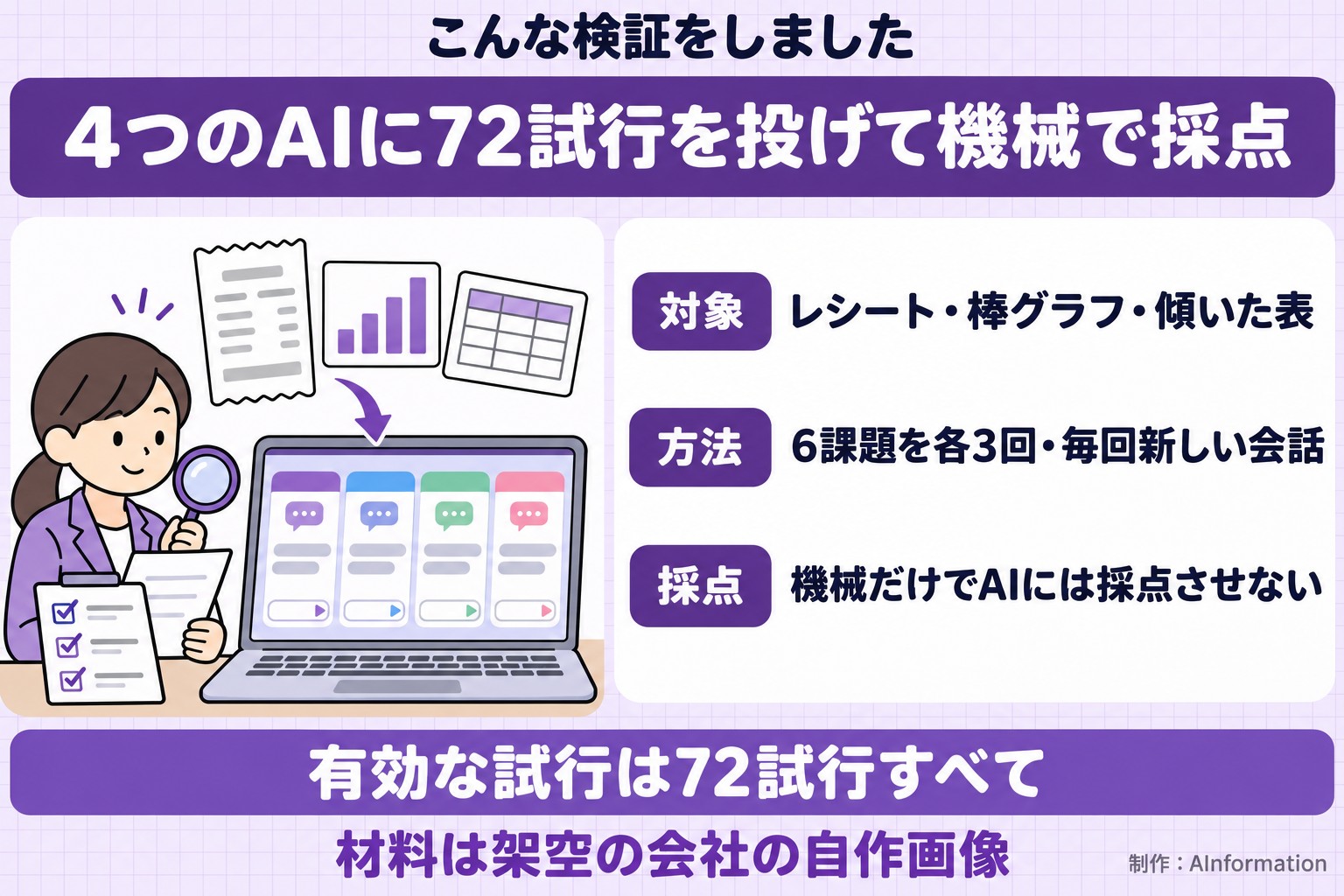
On November 3, 2026, AInformation gave the same tasks to ChatGPT, Gemini, Claude, and Microsoft Copilot. There were six tasks, and we ran each one three times. Across the four AI tools, that comes to 72 attempts.
Plans used and the model names shown on screen
- ChatGPT: ChatGPT Pro (the screen showed GPT-6.1 Sol, Medium)
- Gemini: Google AI Pro (the screen showed Flash)
- Claude: Claude Max (the screen showed Opus 4.8, High)
- Microsoft Copilot: Microsoft 365 Personal (the model name was not visible on screen)
We used the monthly paid plan for each tool through its browser interface, not the API — the same screen that readers normally use. We kept the default model and default mode, and did not use any Deep Research-style feature.
Materials: three images we made using a fictional company’s data
The materials are images built from data for a fictional company, Sample Trading Co., Ltd.
- A receipt image: 6 items, plus subtotal, consumption tax, total, amount received, and change
- A bar chart image: 6 bars, for January through June
- A slightly tilted table image: 4 months of data from July 2025 through October 2025, with columns for Products A through E
The correct numbers were fixed at the time we created the images. No data from any real company was used.
Scoring was done entirely by machine, not by AI
All scoring was done by machine; we did not have any AI score the results. We used one of the following three scoring methods for each task.
- Whether the number exactly matched the correct answer (zero margin of error)
- Whether the list of items was complete (no invented items allowed)
- Whether the answer contained the correct term
Each attempt used a new chat session, and we rotated the order of the AI tools for each round. The first AI tool in each round was ChatGPT for round 1, Gemini for round 2, and Claude for round 3. The time limit per attempt was 300 seconds (5 minutes). If an answer had not finished generating by then, we counted it as a timeout and included it in the denominator. We excluded 0 attempts from the denominator — all 72 attempts are valid.
Depending on the AI tool, a summary of its reasoning or a read-aloud line sometimes appeared in the same field as the answer. Before scoring, we removed any line repeated at the start of the answer. We applied this same process to all four AI tools. The unedited answers, before this removal, are also posted as-is on the data page.
Results by task: Claude was the only model to get all 3 rounds right on all 6 tasks
A task counted as a pass only if the AI matched every number or item in full. We arranged the six tasks as two easy, two medium, and two hard. The table below shows how many of the three rounds were correct for each task.
Correct answers per task (out of 3 rounds)
| Task | ChatGPT | Gemini | Claude | Copilot |
|---|---|---|---|---|
| 1 Subtotal, tax, and total (easy) | 3/3 | 0/3 | 3/3 | 0/3 |
| 2 Change due (easy) | 3/3 | 1/3 | 3/3 | 0/3 |
| 3 Listing the items (medium) | 2/3 | 2/3 | 3/3 | 0/3 |
| 4 Month with the highest value (medium) | 2/3 | 2/3 | 3/3 | 0/3 |
| 5 All values in the bar chart (hard) | 2/3 | 1/3 | 3/3 | 0/3 |
| 6 Product A column in the tilted table (hard) | 1/3 | 1/3 | 3/3 | 0/3 |
| Total | 13/18 | 7/18 | 18/18 | 0/18 (limit message) |
Here is the same information written out as text.
- Task 1 (easy, receipt subtotal, tax, and total): ChatGPT and Claude correct all 3 times. Gemini: 0 times
- Task 2 (easy, receipt change due): ChatGPT and Claude correct all 3 times. Gemini: 1 time
- Task 3 (medium, listing receipt items): Claude: 3 times. ChatGPT and Gemini: 2 times
- Task 4 (medium, month with the tallest bar): Claude: 3 times. ChatGPT and Gemini: 2 times
- Task 5 (hard, all values in the bar chart): Claude: 3 times. ChatGPT: 2 times, Gemini: 1 time
- Task 6 (hard, Product A column in the tilted table): Claude: 3 times. ChatGPT and Gemini: 1 time
Microsoft Copilot showed the usage-limit message on all three rounds of all six tasks, with zero correct answers.
Correct answers did not simply drop from easy to medium to hard. Most of the rounds that ChatGPT and Gemini failed were not misread numbers but timeouts. ChatGPT timed out in 4 trials, and Gemini in 10 trials.
Looking only at the rounds where numbers were returned, none of the AIs misread a number. Three things made the difference in this measurement: timeouts, usage limits and formatting. These tasks did not reveal any difference in the underlying ability to read text in an image.
For reading receipts, Gemini lost points to timeouts and refusals
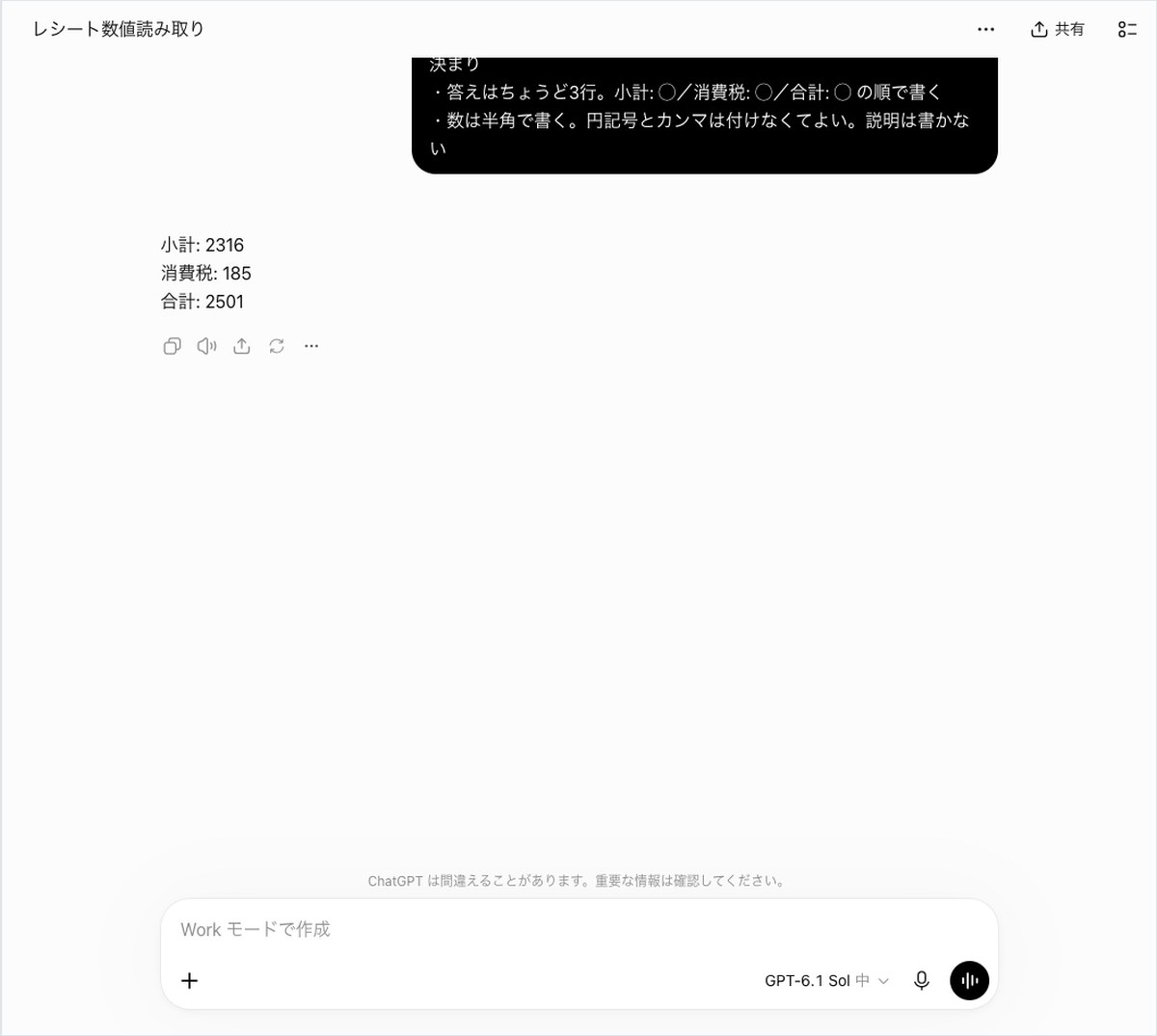
The three receipt tasks count as correct only if every number and every item matches. Task 1 requires all three of the subtotal (2316), the sales tax (185) and the total (2501). Task 2 requires the change due (499). Task 3 requires writing out all six items with their names and prices.
Here is the prompt used for task 1. The other tasks use the same approach, specifying the answer format under “Rules.”
Read the three numbers from the attached receipt image.
Rules
– The answer must be exactly 3 lines, in this order: Subtotal: X / Tax: X / Total: X
– Write numbers using standard digits. You don’t need to include a yen sign or commas. Do not add any explanation.
ChatGPT and Claude got tasks 1 and 2 right all three times
ChatGPT’s answer for task 1 was just three lines starting with “Subtotal: 2316.” It followed the requested format exactly. The response time was 35.8 seconds for the first trial and 20.5 seconds for the third.
Claude also got task 1 right all three times, returning its answer in 13.9 seconds each time. For task 2, both ChatGPT and Claude returned 499 for the change due in all three trials.
Gemini never got task 1 right
Gemini failed task 1 in all three trials. In the first trial, it replied in 19.2 seconds with “I’m not programmed to handle that,” without providing a single number. This round counted as an incorrect answer rather than a refusal.
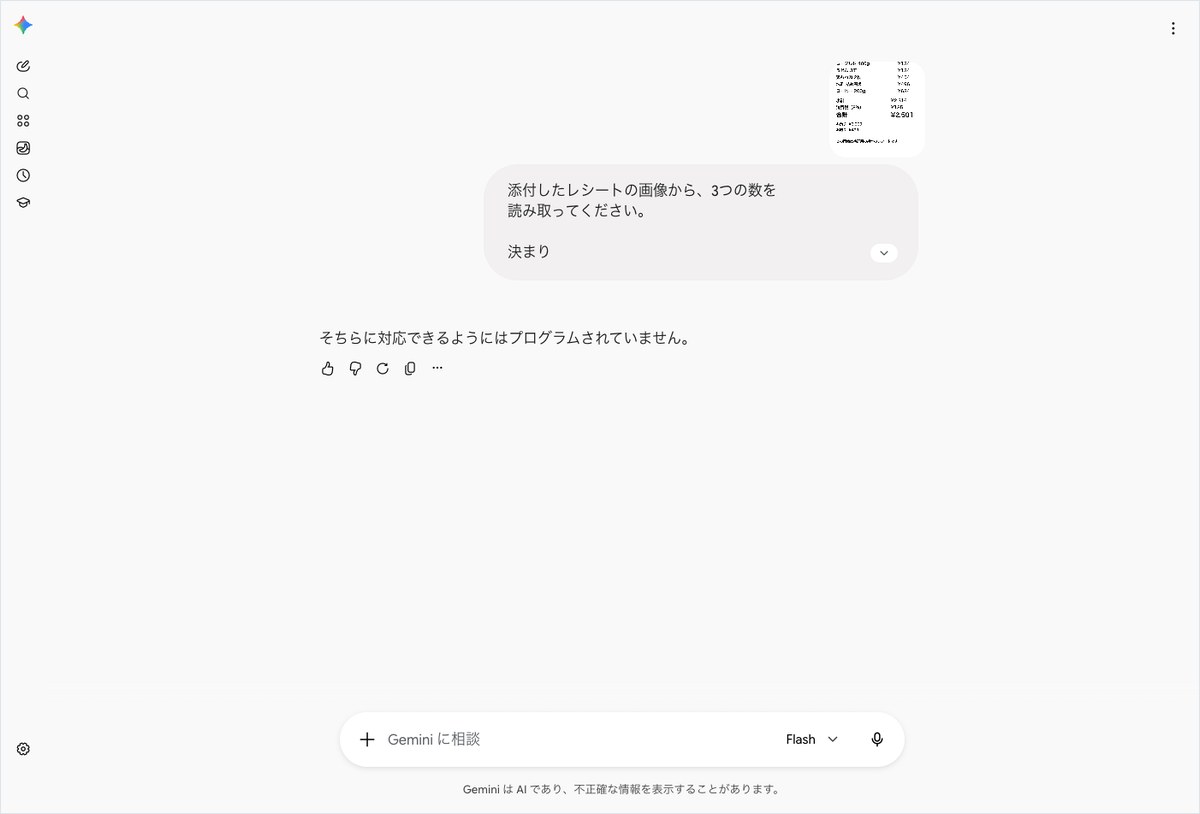
The second and third trials timed out at 302.6 seconds and 302.2 seconds. For task 2, Gemini also timed out twice. In the first trial, it correctly returned “Change: 499” in 59.7 seconds. However, the second line of its answer included the attached file’s name (receipt.png), which violated the one-line answer rule and counted as incorrect.
Claude listed all 6 items correctly in all three trials
Task 3 counts as correct only if all six items are listed and no extra items are invented. Claude’s result was “all 6 items matched, 0 invented” in all three trials.
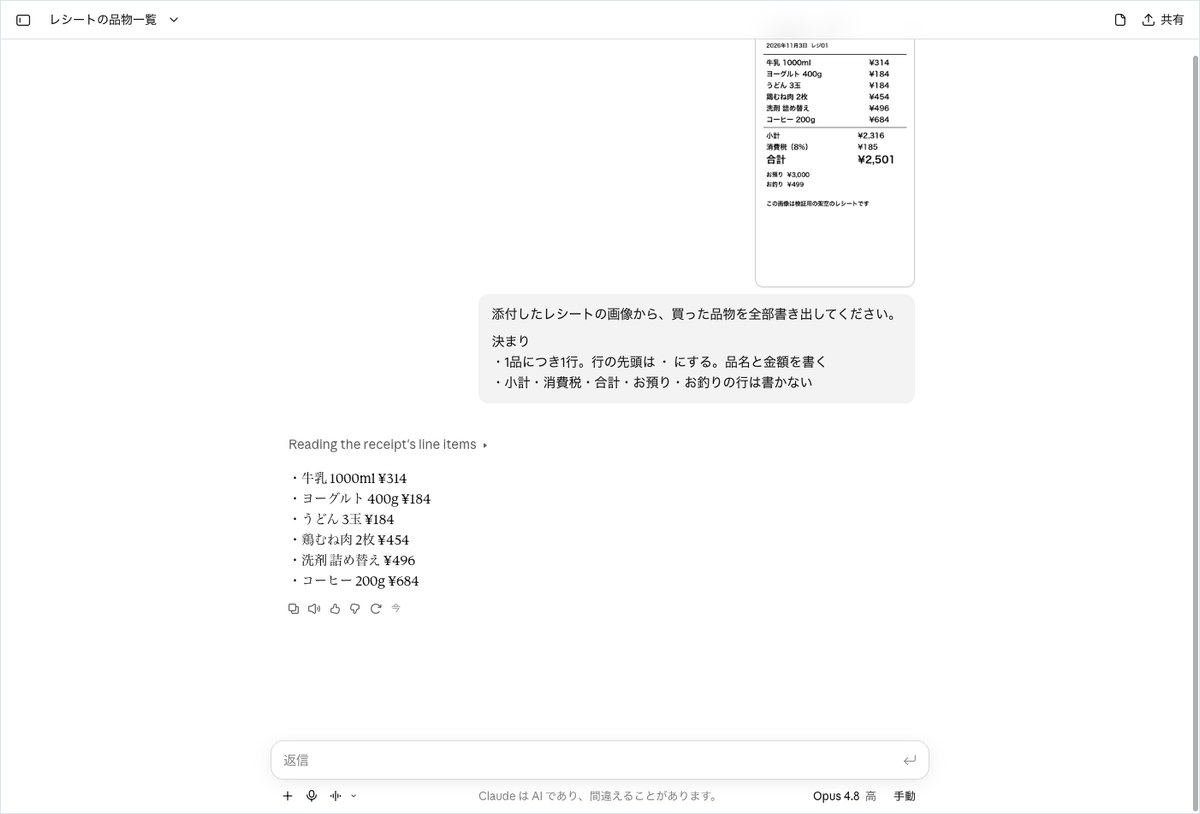
ChatGPT and Gemini each got this right twice, and both timed out on the third trial. Gemini took 189.8 seconds on its first trial and responded in 19 seconds on the second. Even for the same task, response times varied widely from trial to trial.
For the bar chart, every number that came back was correct
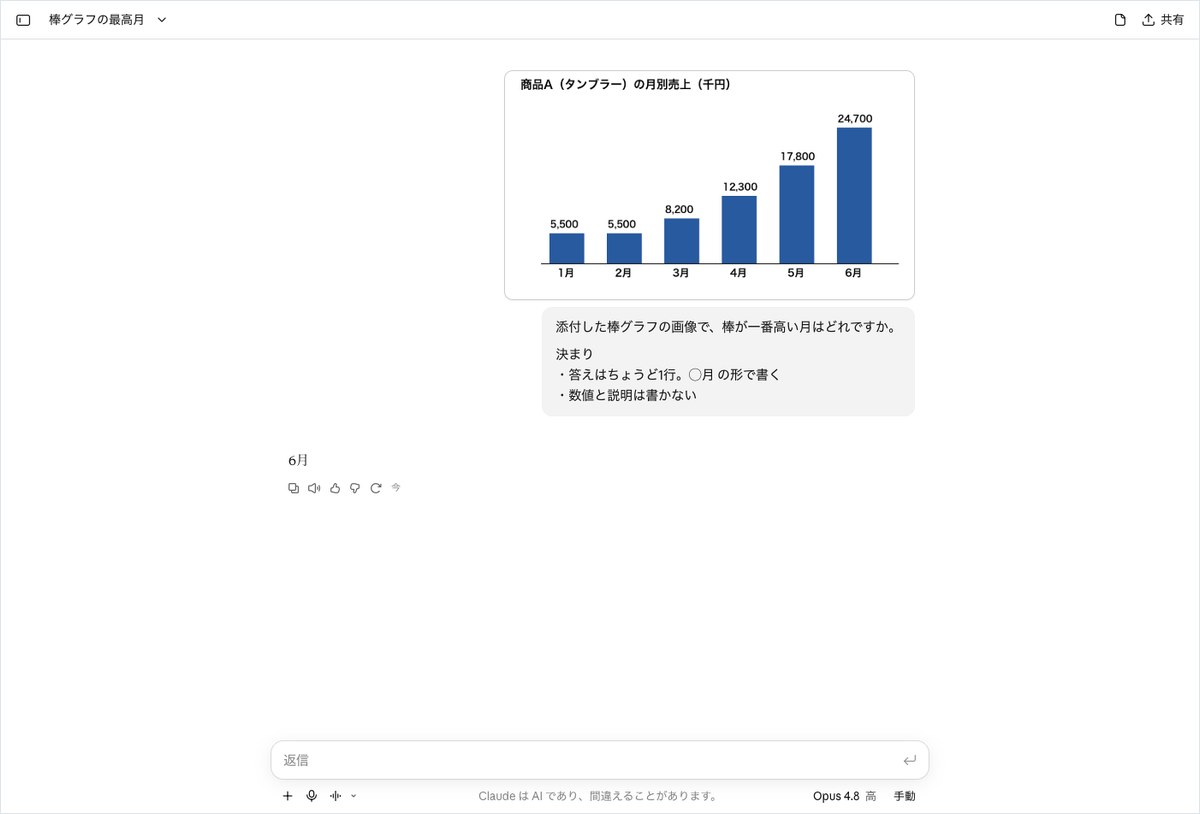
Of the two bar chart tasks, task 4 counts as correct if the answer is “June.” Task 5 counts as correct only if all six monthly numbers match exactly. The correct answers for task 5 were the following six values.
- January: 5500
- February: 5500
- March: 8200
- April: 12300
- May: 17800
- June: 24700
Here is the prompt used for task 5. It requires reading every number above the bars, and we placed it on the harder side among the six tasks.
Read all of the monthly values from the attached bar chart image.
Rules
– One line per month, in the format Month: X, listed from left to right
– Write numbers using standard digits. Do not add any explanation.
ChatGPT timed out only on its third trial of task 5
ChatGPT got task 5 right on its first and second trials, responding in 20.5 seconds and 26.6 seconds. Its answer took the form “January: 5500” across six lines. The third trial timed out at 300.8 seconds.
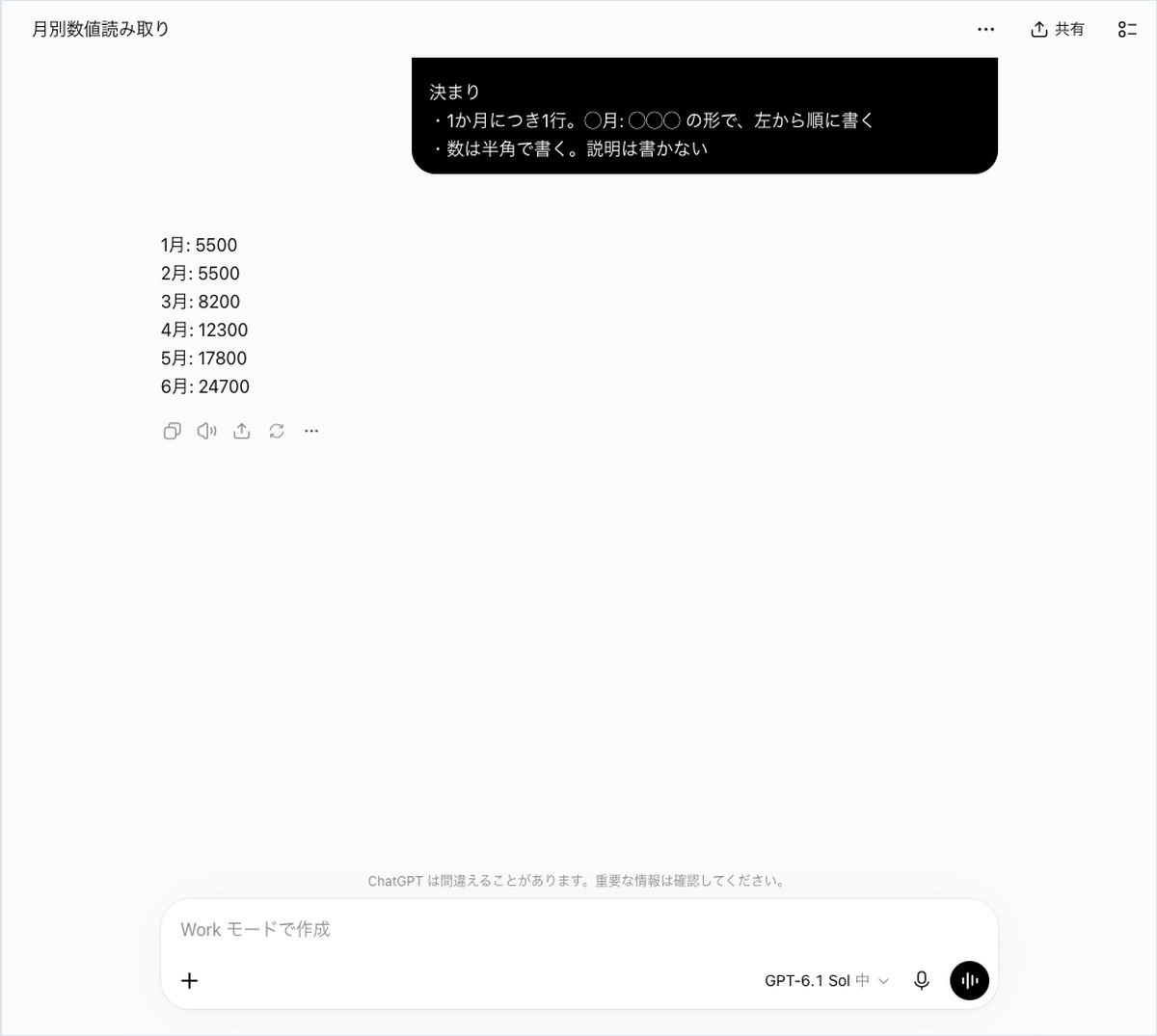
Gemini took 204.9 seconds on task 5
Gemini got the first trial of task 5 right, but it took 204.9 seconds (about 3 minutes). The second and third trials timed out. Its answer included commas, such as “January: 5,500.” Since the rules for this task did not prohibit commas, the numbers were counted as correct.
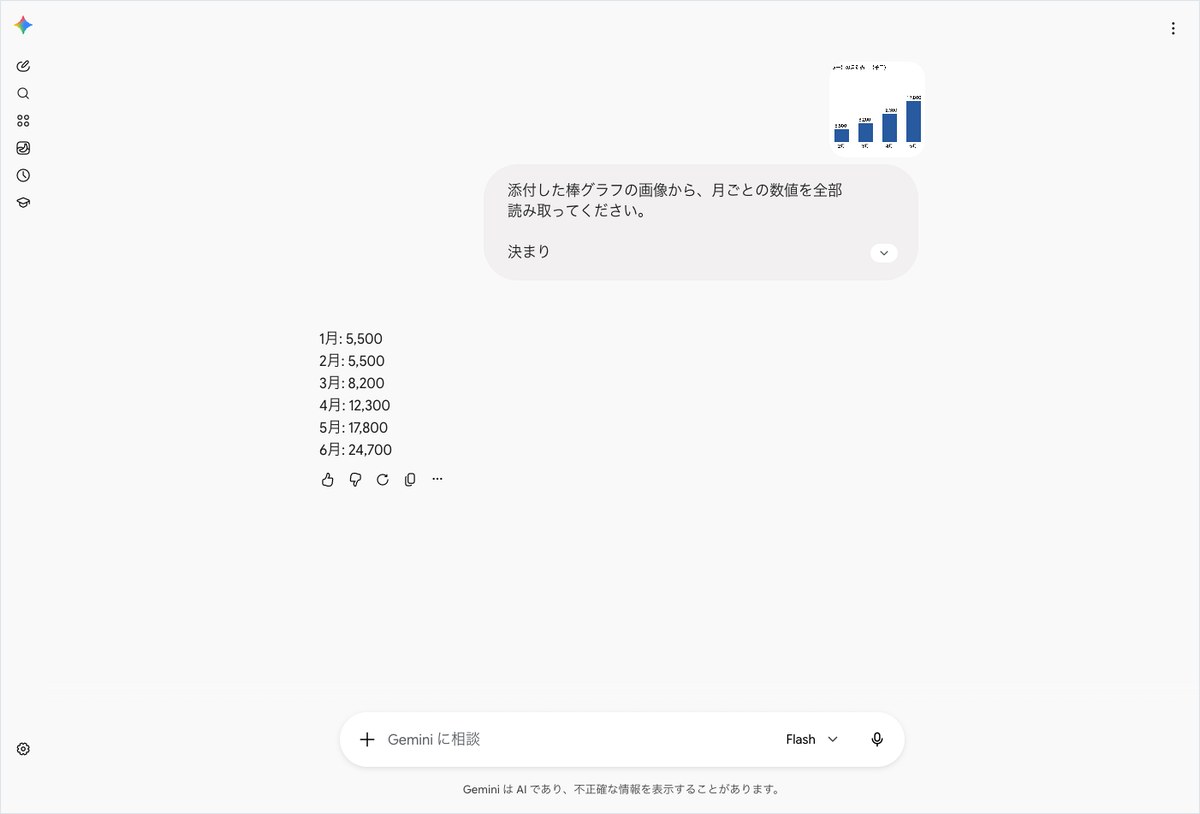
Every answer for the highest month was June
For task 4, every trial that returned an answer said “June.” ChatGPT’s second trial took 48.3 seconds, the longest time among ChatGPT’s 18 trials excluding timeouts.
Gemini got it right in 61.7 seconds on the first trial and 76.7 seconds on the third, with the second trial timing out. The third trial’s answer included a line with “chart.png,” which violated the one-line rule and counted as incorrect. Claude answered “June” in all three trials, taking between 13.8 and 13.9 seconds each time.
For the tilted table, ChatGPT lost one trial to formatting
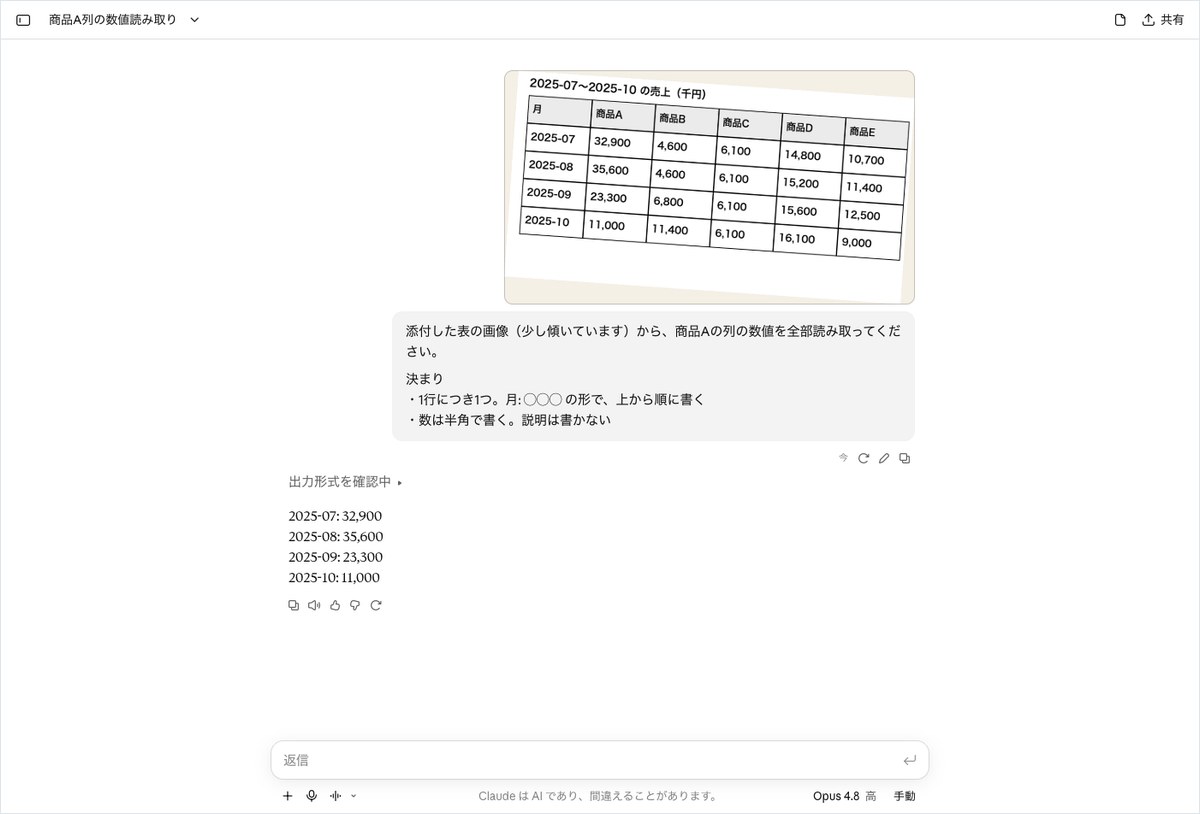
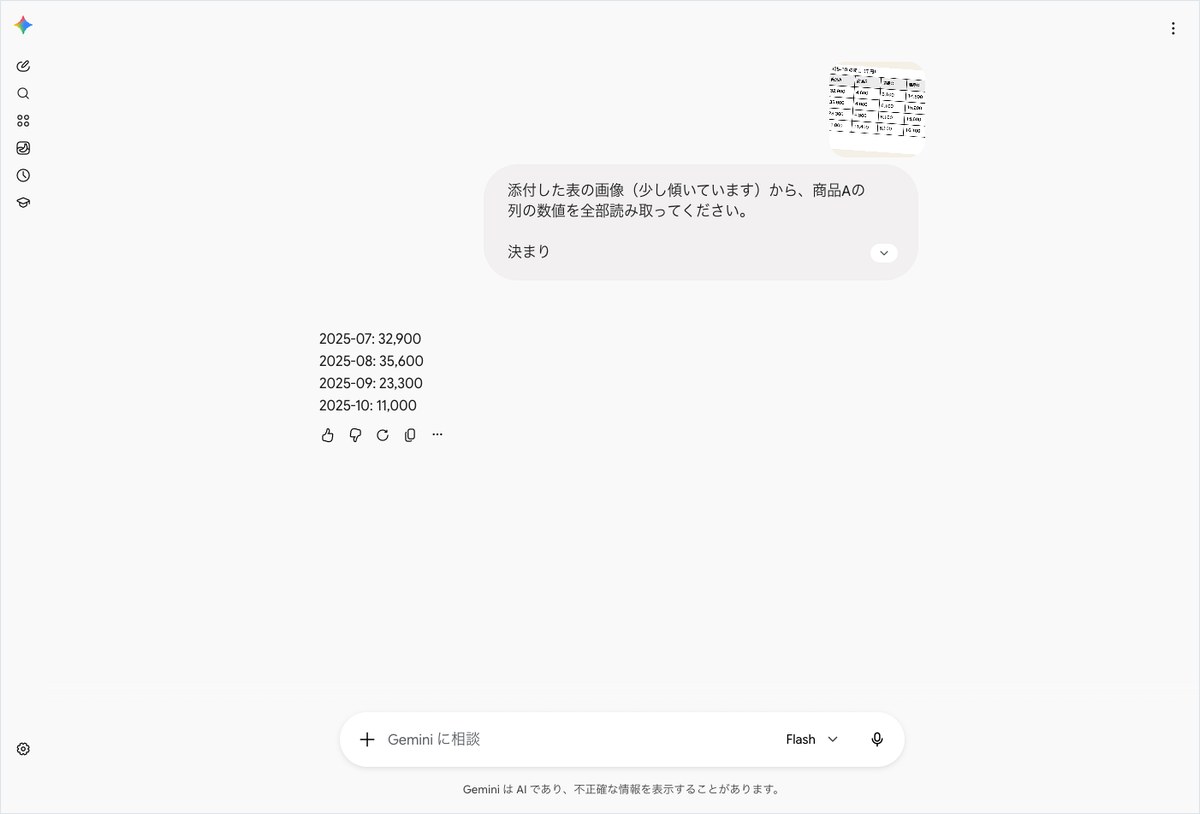
The tilted table task counts as correct only if all four numbers in the Product A column match along with their months. The correct answers were the following four values.
- 2025-07: 32900
- 2025-08: 35600
- 2025-09: 23300
- 2025-10: 11000
Here is the prompt used for task 6. The table image is slightly tilted, like a document photographed with a smartphone.
Read all of the values in the Product A column from the attached table image (it is slightly tilted).
Rules
– One value per line, in the format Month: X, listed from top to bottom
– Write numbers using standard digits. Do not add any explanation.
ChatGPT’s first trial had all the right numbers but still failed
ChatGPT got this task right once out of three trials. In the first trial, it correctly returned all four numbers in 20.6 seconds. However, the lines started with “July” instead of “2025-07.” Scoring looks for the “2025-07” marker to locate each number, so it could not find the marker and marked the answer incorrect.
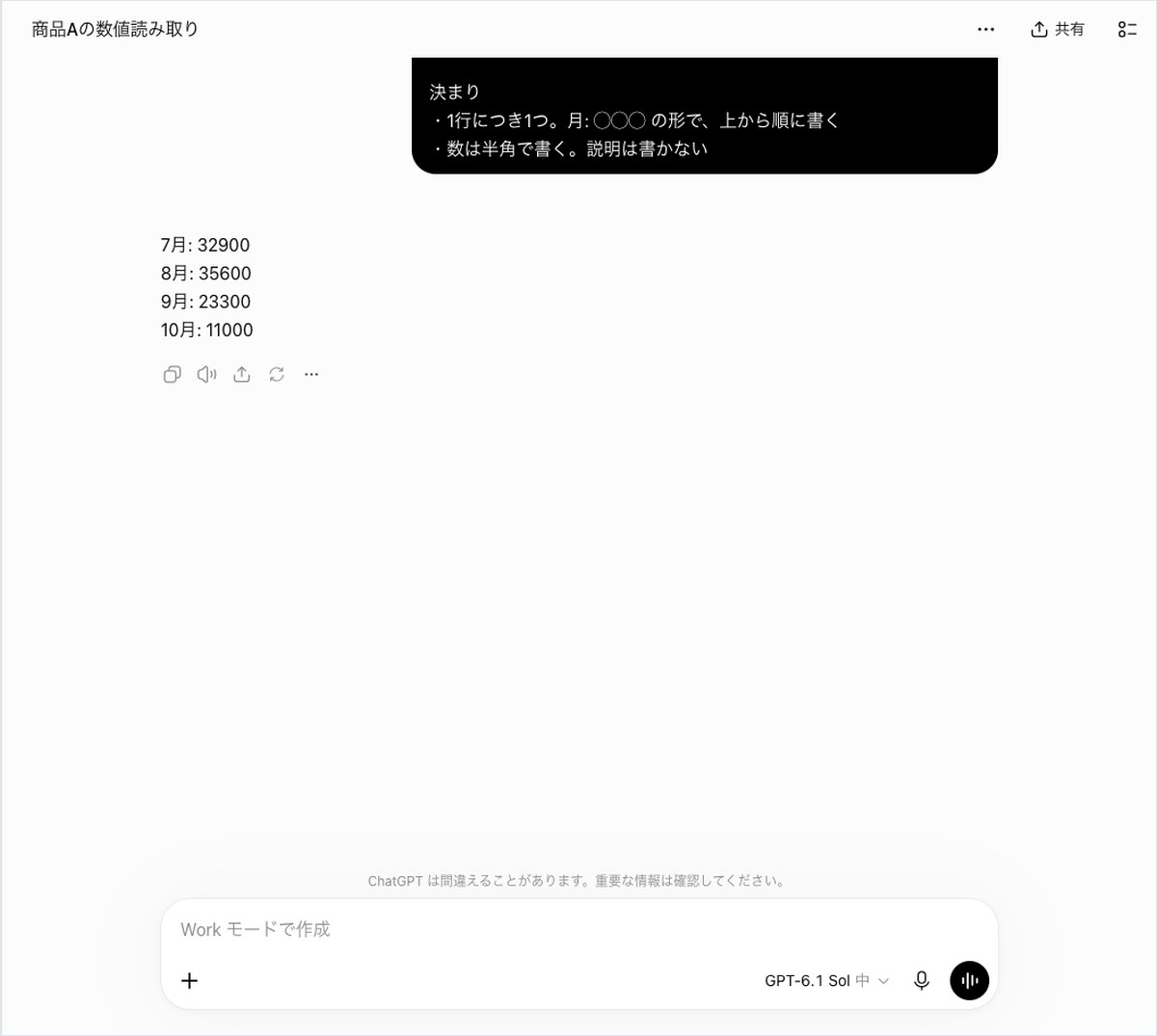
The task text only says “in the format Month: X.” Since the table’s header reads “2025-07,” either format is a valid reading. The second ChatGPT run returned “2025-07: 32900” in the table’s own format, which counted as correct. The third run timed out at 301.2 seconds.
When using this for your own work, showing a one-line example of the format you want makes the output less likely to vary. For example, write “in the format 2025-07: 32900.” Note that this measurement did not test prompts that included such an example.
Claude returned the four lines in about 17 seconds in all three runs
Claude got all three runs correct, with times ranging from 16.9 to 17.1 seconds. Its answers were four lines in the format “2025-07: 32,900.”
Gemini got the first run correct in 134.9 seconds. The second and third runs timed out.
Microsoft Copilot hit its usage limit in all 18 runs
The standard for this section is whether the tool read the image and returned a number. Microsoft Copilot never returned an answer based on reading the image in any of its 18 runs.
All 18 runs returned the same single message: “You’ve reached your daily limit. Increase your usage now or check back at 9:00 AM.” Response times ranged from 13.8 to 17.1 seconds, and this message appeared starting from the very first task in the first run. The plan used was Microsoft 365 Personal.
The 0% accuracy rate is not a result of image-reading ability
In the scoring table, these 18 runs are counted as incorrect answers. This series has a rule that excludes runs stopped by a usage limit from the denominator, but in this case the runs were counted as incorrect.
So Microsoft Copilot’s 0% accuracy rate (0 out of 18 runs) is not a result of its image-reading ability. The 100.0% consistency rate is also simply a result of the same limit message appearing all 18 times. The 50% instruction-following rate counts the runs where the single-line limit message happened to match the task’s rule. This applied to tasks asking for a one-line answer and tasks that only checked the character count limit.
This measurement does not show when the limit is triggered
This measurement did not determine what kind of use, or after how many attempts, triggers the limit. It also does not reveal how accurately Microsoft Copilot can read images. No screenshot of Microsoft Copilot appears in this article, but the full text of its answers can be read on the data page.
The previous article in this series is a comparison of four image-reading AI tools. Before using one of these tools for work, it’s a good idea to test it with your own plan by sending the same image and checking that you get an answer.
Comparing five metrics, Claude ranked first for accuracy and speed
From here, we look at each of the five metrics one by one. For each metric, the opening sentence states where the line was drawn for counting a run as a pass.
Accuracy rate: Claude scored 18 out of 18 runs
The accuracy rate is the number of runs where every correct answer for the task was given, divided by the denominator of 18 runs. The results were as follows.
- Claude: 18 out of 18 runs (100.0%)
- ChatGPT: 13 out of 18 runs (72.2%)
- Gemini: 7 out of 18 runs (38.9%)
- Microsoft Copilot: 0 out of 18 runs (0%; all 18 runs hit the usage limit)
Response time: Claude’s median was 13.9 seconds
Response time is the median number of seconds across runs that returned an answer. Timed-out runs are excluded from this figure.
- Claude: 13.9 seconds (fastest run 13.8 seconds; slowest run 17.1 seconds)
- Microsoft Copilot: 14 seconds (time until the usage-limit message appeared)
- ChatGPT: 25.4 seconds (fastest run 20.4 seconds; slowest run 48.3 seconds)
- Gemini: 69.2 seconds (fastest run 19 seconds; slowest run 204.9 seconds)
Gemini showed a wide gap between its fastest and slowest runs. Even for the same task 3, one run took 189.8 seconds and another took 19 seconds.
Consistency rate: ChatGPT’s answer format didn’t match on task 6
The consistency rate is the share of runs where the same task, repeated three times, produced the same conclusion. Claude scored 100.0%, returning the same number across all three runs on all six tasks. ChatGPT scored 83.3%. On task 6, the first run wrote “July” while the second run wrote “2025-07,” so the formats diverged.
Gemini also scored 100.0%, but that figure only covers tasks 3 and 4, where it returned an answer at least twice. For the other four tasks, it returned an answer once or fewer, so no comparison was possible. Microsoft Copilot’s 100.0% simply reflects that its usage-limit message was identical each time.
Source-existence rate: not measured in this category
This category has no task that involves checking a URL, so we did not measure the source-existence rate. All four AIs show a blank for this metric; a blank does not mean 0%.
Instruction-compliance rate: ChatGPT followed every rule on the runs it answered
Instruction compliance only counts runs that followed every requested format rule (number of lines, leading symbol on each line, character limit). Timed-out runs are excluded from the denominator.
- ChatGPT: 100.0%
- Gemini: 62.5%
- Microsoft Copilot: 50% (runs where the single line of the usage-limit message matched the rule)
- Claude: 16.7% (3 of 18 trials)
Claude’s 16.7% comes down to a mismatch between what appeared on screen and what the text extraction captured. On screen, only the lines that followed the rules were displayed. The extracted text, however, included the opening label “Claude’s response:” and a line summarizing the reasoning in progress. It also picked up the stray word “Now” next to a button at the end, which added an extra line and counted as a fail. Task 6 only checks the character limit, so all three runs on that task passed.
Gemini failed three times. Two runs appended attachment file names (receipt.png and chart.png) after the answer, and one run was a refusal.
For reading receipts and tables, start with Claude
Our criteria here are this round’s accuracy rate, number of timeouts, and instruction compliance. Since this is based on a single measurement, test it once with your own image before relying on it.
If accuracy and fewer retries matter most, choose Claude
Claude got 18 of 18 trials (100.0%) correct, with zero timeouts. Its consistency rate was also 100.0%. This result fits tasks like reading a receipt total for expense reports or transcribing a scanned table. Its answers sometimes include a summary of its reasoning process, so it’s worth checking the first line before pasting the result.
If you want to paste the answer format as is, choose ChatGPT
ChatGPT’s instruction compliance was 100.0% on the runs that returned an answer. It returns only the requested format, such as “Subtotal: 2316,” which pairs well with pasting into a spreadsheet. However, 4 of its 18 trials hit the 300-second timeout. For urgent work, it’s safer to assume you may need to resend the prompt if nothing comes back.
If speed matters most, choose Claude
Claude’s median completion time was 13.9 seconds. ChatGPT came in at 25.4 seconds, and Gemini at 69.2 seconds. For work like reading dozens of receipts in a row, this gap directly adds up to waiting time.
Gemini and Microsoft Copilot can’t be ranked from this round alone
When Gemini did return a number, it made no misreadings. But 10 of its 18 trials timed out, and it never got task 1 right even once. It could be a candidate for work where you can wait for the answer, but this round’s results alone aren’t enough to recommend it.
Microsoft Copilot stalled on its usage-limit message, so we couldn’t measure its image-reading ability. If you already use Microsoft 365, try it yourself at a time when you won’t hit the limit.
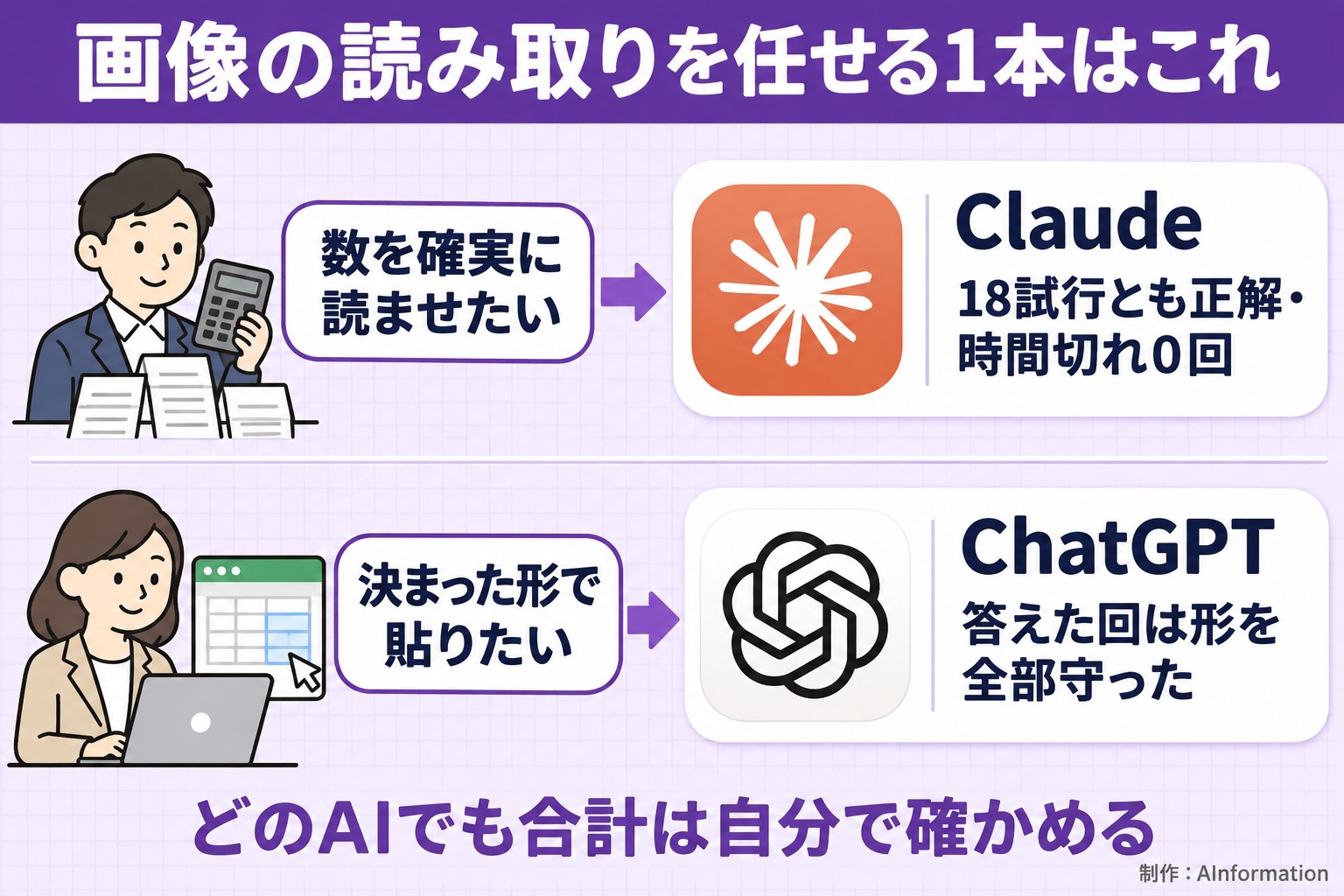
Whichever AI you use, it’s safest to verify at least the total yourself before copying it into a ledger or invoice. The image used here was a clean, self-made image, so results may differ with an actual photo of a receipt.
The limits of this measurement: a single run on a single day
The figures in this article come from a single measurement taken on November 3, 2026. Rankings could change on a different day or with different tasks. There are also the following limitations.
- We used the paid plan for each AI (ChatGPT Pro, Google AI Pro, Claude Max, Microsoft 365 Personal); results do not reflect the free versions
- We measured only the default model and default mode, not features like Deep Research
- The tasks use self-made data for a fictional company, Sample Trading Co.; results do not reflect data from a real company
- We only cover tasks that can be scored mechanically; we did not measure writing quality or readability
- We measured from the same browser screen a person would use, not through the API
- For any AI whose on-screen model name we couldn’t read, that field is left blank (Microsoft Copilot in this case)
Two limitations matter especially for this round. First, Microsoft Copilot hit its usage limit on all 18 trials, so we couldn’t measure its image-reading ability. Second, the material was a clean, self-made image. We did not test blurry photos or handwritten text.
Readers can recount the numbers themselves. We’ve posted the full task text, the source images, all 72 answers from the four AIs, a scoring sheet (CSV) with one trial per row, and screenshots on the AI Practical Work Benchmark data page (image and photo reading). When citing this data, please include “Source: AInformation (AI Practical Work Benchmark, measured November 3, 2026)” along with the URL of the data page.
Related articles and tools
- AI Practical Work Benchmark: image and photo reading (data page measured on November 3, 2026)
- ChatGPT pricing and features
- Gemini pricing and features
- Claude pricing and features
- Microsoft Copilot pricing and features
- Comparing 4 AI tools for meeting-minutes summaries, plus 3 ready-to-use prompts
- Comparing 4 image-reading AI tools, plus 3 prompts for reading numbers
- Comparing 4 AI tools for checking inconsistent notation, plus 3 name-matching prompts
- Comparing AI image-reading accuracy, plus 3 ready-to-use prompts
When it comes to reading numbers from images, the first difference wasn’t accuracy, it was whether an answer came back at all. In every run where an AI wrote out numbers, none of them got the numbers wrong. Gemini, though, timed out in 10 of 18 runs, and Microsoft Copilot showed its usage-limit message in all 18 runs. In one ChatGPT run, every number was right, but a line started with “July,” so it counted as a miss. For in-house use, I recommend showing the model a one-line example of the format you want, then having a person check just the total.
- Which AI read numbers from images most accurately?
- In this test, Claude did best. We gave each AI 6 tasks, 3 times each, on November 3, 2026, and Claude got 18 out of 18 runs (100.0%) correct. ChatGPT got 13 out of 18 runs (72.2%) correct, and Gemini got 7 out of 18 runs (38.9%) correct. This is a single day’s measurement, so rankings could change with different days or tasks.
- Can’t Microsoft Copilot read images?
- This test couldn’t confirm that either way. In all 18 runs, Microsoft Copilot showed a “daily limit reached” message, and it never returned a single answer based on reading an image. The scoring sheet shows a 0% accuracy rate, but that reflects the limit, not its image-reading ability. Try it yourself at a time when you’re not hitting the limit, using your own plan.
- Why was Gemini’s accuracy rate low?
- Because 10 of the 18 runs didn’t finish within the 300-second time limit and timed out. On the first attempt at task 1, it returned “I’m not programmed to handle that.” In the runs where it did write out numbers, none were misread.
- Can I try the same prompts used in this article myself?
- Yes. You can copy the three task prompts in the article text exactly as they appear. The source images (a receipt, a bar chart, and a tilted table), the 72 responses from the four AI tools, and the scoring sheet (CSV) are all available for download from the data page. Scores are based on exact-match accuracy, so you can compare your own results with the correct answers directly.
- Would free versions of these AI tools give the same results?
- This test didn’t check that. We used the paid versions of ChatGPT Pro, Google AI Pro, Claude Max, and Microsoft 365 Personal, each with its default model and default mode. Free versions use different models and limits, so results could differ.